We're making some changes to the Dropbox Community 👩💻 - Find out more here.
Mac
1213 Topics
Confusion about Dropbox folder and CloudStorage Folder (MacOS)
I'm using Dropbox on a MBP (26.2) and have started having hard drive space issues. In trying to troubleshoot I come across the CloudStorage folder in the Library folder which appears to be occupying almost the same amount of space as my Dropbox folder which is currently in my User Folder. How does the CloudStorage folder function? It appears to be a mirror of the Dropbox folder, but I'm confused as to why it's occupying so much hard drive space. It almost appears as though the Dropbox files on my computer as opposed to being in the cloud are being stored twice. Thanks for your help.246Views0likes15Comments
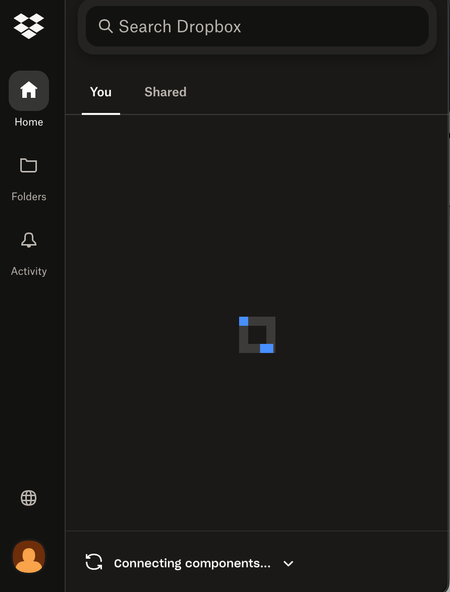
My Dropbox app on macOS is stuck on "Connecting components" even after reinstalling.
Application Affected Dropbox Device Macbook Air Operating System/Browser (if using the web) (Windows 11, macOS14.3, etc.) Dropbox App Version (if using the app) latest version (can't access app settings on current app) Question or Issue My dropbox app has been stuck on Connecting Components. I uninstalled and re-installed it twice to no avail. I even deleted the files from Library/Application support in Finder. The other weird thing is that there was no option to sign in even after the app was reinstalled. It was stuck almost immediately on Connecting Components. I would be super grateful for any help!!282Views1like15Comments
Updating 42 files
This information is not required, but it makes it easier for our Community members and support team to help you. Application Affected Dropbox Mac: Device MiniMacM4, 2024 Operating System/Browser (if using the web) MacOS 26.3.4 Dropbox App Version (if using the app) 244.4.6580 Question or Issue I’ve had the same “Updating 42 files” on my monitor tab icon for over a year. after syncing new addition, it reverts to this notice. There is nowhere I can find what or where these 42 files are to be found. With the disaster of the mixed main filer location since it was moved into the Library, where I now have two folders residing, Things are getting more complicated and less reliable, a situation that seems to go hand in hand everywhere I encounter ‘more complicated.’ In Preferences>Sync>Dropbox folder updates “You are using Dropbox on File Provider. To opt out ... 1st question: how to get rid of “Updating 42 files 2nd question; how to have a single Library folder? Do I have to compare the two folders, file at a time? Cuz that would be a real PIA and I could lose data as several people in this forum have already experienced. files copied with zero info. 3rd question. Does anybody try these new systems out in real world situations? Jay Gamel, Kenwood CA15Views0likes0Comments
Latest update created several problems with cache and syncing
Device iMac 2021 Operating System/Browser (if using the web) MAC OS 15.7.4 Dropbox App Version/Browser Version APP version, cannot locate version # Question or Issue After a recent update I got error messages about the Finder and Dropbox started defaulting to saving my documents in the Dropbox cache, ".dropbox" (which I did not know existed). I then deleted the cache. This morning I was required to log in to Dropbox and go through the process of resyncing everything. And then even though I did not ask that the files be offloaded to the cloud, every one of my folders and files has the cloud icon next to it (on my desktop). I am a little anxious about what awaits me with my office iMac which is significantly older and slower.60Views0likes6Comments
Links/syncing stopped working for InDesign files in Dropbox, after Adobe InDesign crashed.
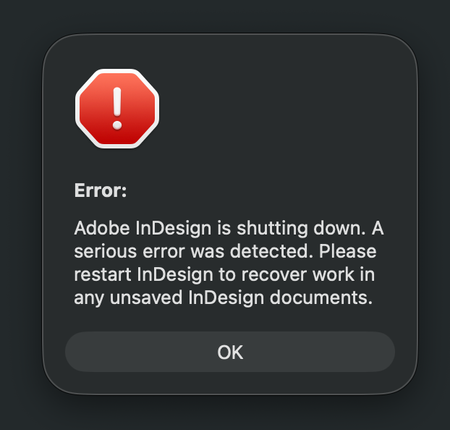
Application Affected Dropbox and Adobe InDesign Device iMac M3 - 2023 Operating System/Browser (if using the web) MacOS Tahoe 26.3.1 (a) Dropbox App Version (if using the app) 244.4.6580 In advanced, I'm sorry for my long text and spelling errors) I have a shared Dropbox with my colleges, and I work from home. Earlier this week I was working in InDesign, and it crashed while I was working. A message said it was a serious error, but no info what the error was about. (I have attached several screenshots below) Anyway, I started InDesign again, but the document I was working on could not be opened, because it was damaged. I work as a freelance book designer, but luckily for me I was only working on a book cover, and not the inside of the book. It was annoying, but not the end of the world. This was just the beginning. Now every single time I open an InDesign document from Dropbox, all the links is just shown as blank, like there is nothing there. It's just like a white new document, with nothing there, only the text. Nothing is linked anymore, and I have to link every singe images again. Let's say I have 50 images in a folder, it doesn't link everything at once, which is crazy annoying and extremely time consuming. Sometimes when I open a document in InDesign it seems fine for one second, but then all the images shows up like "crazy art" (screenshot 2) After I link an image, it seems to be okay the next time I open the document, luckily. But I have a lot of book projects and it's a crazy amount of time fixing everything manually. I also get weird messages when opening a document (the bottom screenshots) It also seems to be a problem when I have a document open, and want to edit a picture. I choose to open the picture in Photoshop, and edit there. When saving the document, it usually update the file in InDesign automatically, but not now. I guess it's just a part of the same problem. I have no idea what to do to fix the problem. All Indesign documents on my computer is fine, so the problem is only between Dropbox and Indesign, and not InDesign alone. I always work with the documents/folders (available offline) and I have never had a problem with this before the crash. I have already contacted Dropbox customer service. After a lot of back and forth, they said the problem is with Adobe. Then I contacted Adobe (which has terrible customer service) and they told me the problem is Dropbox. So here I am, with no clue on how to fix the problem. I have restarted Indsign and Dropbox, but nothing changed. I don't know what will happen with new documents placed in dropbox yet, but fingers crossed the issue will not effect new work. Time will show after the Holiday. Happy Stressfull Easter to me I guess :P66Views0likes4Comments
Dropbox only opens the Dropbox folder in finder - not the app.
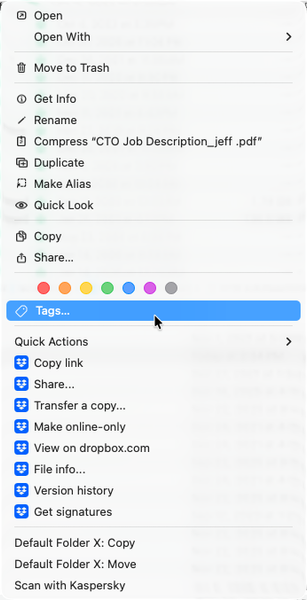
Any help would be appreciated - thank you! (I can't seem to find anything that can help...) Application Affected Dropbox Device Apple MacBook Pro M1 Max, 64Gb of RAM, 2Tb SDD Operating System/Browser (if using the web) MacOS Tahoe 26.2 Dropbox App Version (if using the app) 240.4.8493 (I got this from the "Get Info" in the finder) Question or Issue 1) Whenever I double-click the dropbox app, it opens the dropbox FOLDER in the finder. How do I open the app? 2) The menu bar icon, which previously would show sync status, sync issues, and provides access to preferences, is not shown. I have a 36" screen, and it isn't a case of "hidden" menu items. 3) I know that the app is (mostly?) running. Control-Clicking on a file shows the dropbox commands within the context menu. (See image below.) I also know its running because the various apps are shown in "Activity Monitor" (image below.) Steps I've done to try to solve the problem: Uninstall Dropbox Reinstall Dropbox Restart the computer. I don't feel comfortable doing the "Advanced Install", as it appears that doing so means losing all of my "selective sync" settings, which I've been setting up for years. (And since I can't get into the app's "prefs", I can't super easily see what is selectively synced or not. I'm at the point where I'm ready to toss the program out and move everything to Google, but I REALLY LOVE the program, and am hoping that I'm simply missing something simple, and there there is a quick fix. Thanks - Randall441Views0likes15Comments
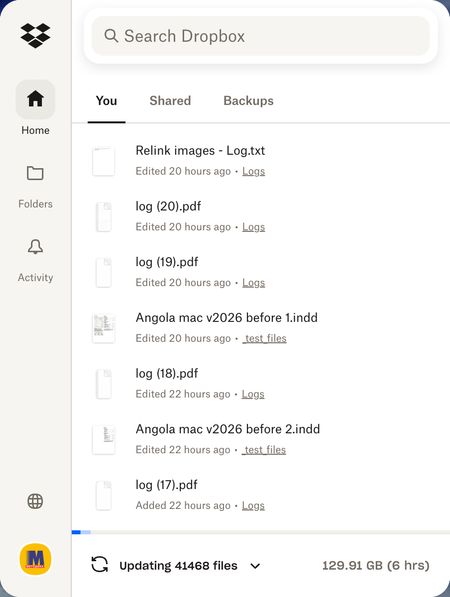
Dropbox is unnecessarily updating 40,000 files
Device iMac, 3,3 GHz 6-Core Intel Core i5, 8 GB 2667 MHz DDR4, Operating System/Browser (if using the web) Tahoe 26.3.1 Dropbox App Version The latest Problem Just out of a sudden, with no obvious reason, Dropbox decided that 40,000 files needed updating! Though in reality they are not. I just worked on a few text files. My working day is ruined because I can't wait till they are synced!44Views0likes3Comments
Dropbox menu bar missing on Mac OS
Device MacBook Air M4 Operating System/Browser (if using the web) Tahoe 26.3.1 Dropbox App Version (if using the app) Latest available, just reinstalled as of mid-March 2026 Question or Issue A second MacBook Air (M2) running a near-identical setup DOES show the menu bar. I use Bartender, which confirms through a search that the menu bar item doesn't exist. I just ran an advanced reinstall of Dropbox, but still no change.134Views0likes10Comments
Opting out of File Provider on Mac OS doesn't work
Files originally stored in the /user/document/dropbox automatically moved to new location ~Library/CloudStorage/Dropbox despite after checking the Opt Out option while reinstalling. Despite I have tried many times to remove the previous version settings (see link below), I will see new files being synced into my designated local drive location first and silently move to the new location (cloudstorage) 5mins after every new installation. I believe the auto-updating features never observe the Opt Out option that I chose. I tried to remove dropbox related files in the /library/LaunchAgents, /library/dropbox and /library/Application Support/dropbox in different times, but files will come back as dropbox somehow will download them back to the machine, making sure they will update to the latest version. Is there any real solution to this by not moving my files in the original location to cloudstorage. I am so many code tired to the original location. Appreciate someone can advise. https://help.dropbox.com/installs/advanced-reinstall#reinstallDropboxmac Device (MacBook Air M2) Operating System/Browser (if using the web) (macOS26.3 Tahoe) Dropbox App Version (if using the app) (244.4.6580) Dropbox Plan (Basic)Solved100Views0likes9Comments
Mysterious mass deletions after moving to a new computer
Device Mac Air 13" M5 Operating System/Browser (if using the web) Tahoe 26.3 Dropbox App Version (if using the app) 244.4.6580 Question or Issue Heavily use Dropbox for my business and love the application, however I just transitioned to new computer and when moved over Dropbox has been auto generating an enormous (tens of thousands...enough for Dropbox to send me emails wondering if something is wrong) number of files in the delete folder. These files have unusual names, none of which I have generated or used. They include names such as: Album-prepare-marker.plj, journalAttr.101616, .dat.nosync2FO.JZcDX8, and a lot similar to eat_jounalAttr_BCE8333B1-A91E-4B9D-97B6-65618...E9_6289556_95721.processed, an entire folder with: file cache.DAE6E2DC-BE92-42E1-A959-1A562426A8D9 There are a lot of others, these are just a few. Can someone recommend how this can be addressed? It is clogging up my Dropbox, showing up in recent activity, and driving notifications to my email for things I haven't done. Appreciate the support. Mike155Views0likes12Comments