Your workflow is unique 👨💻 - tell us how you use Dropbox here.
Web
42 Topics
Allow us to show/hide sidebar items on the website
I love new features, don't get me wrong, but not at the cost of them cluttering up the UI with features I rarely (or never) use. The sidebar on the web keeps growing with no way to tame it. How about implementing a Gmail-style menu system where you can bury menu items you don't want to see, but can still access if need-be... this way the UI can be more tuned to how an individual uses it?55KViews135likes68Comments
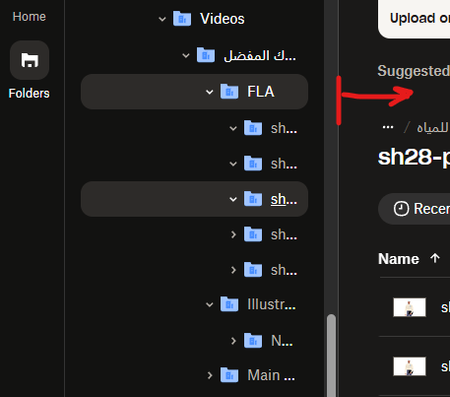
Disable "Suggested from your activity" permanently
Hi there, I absolutely hate the feature "Suggested from your activity". I would like to see a checkbox in settings that allows a user to disable that permanently and have the cleanest possible view of file(lists) and folders. The "Suggested from your activity" feature always shows my family photos or, like today, a preview of my tax form. Whenever I open dropbox in the office to browse my files, all my work colleges can see these previews too. The icon that hides it, is only remembering the setting as long as one does not delete cookies from the browser. At our company, it is policy to delete cookies every day at the end of the day. So this "hiding" setting is pretty useless for me. More over, please make it possible to have a clean, minimalistic UI without all the fluff, super big blue buttons and "easy access" helpers. Some people don't need it. It is distracting and disturbing.27KViews82likes52Comments
Give us the option to export/download comments
It would be extremely helpful to have the ability to download a PDF (or image, or other file types) with comments included. Alternatively, could there be a way save out just the comments as it's own downloadable format? If a file is changed, the comments disappear into the ether. This would help streamline our workflow and help keep track of changes/comments/conversations. Currently we screenshot every page with comments to keep track of edits. Thank you9.1KViews21likes17CommentsRemove login or sign-up popup when sharing a link.
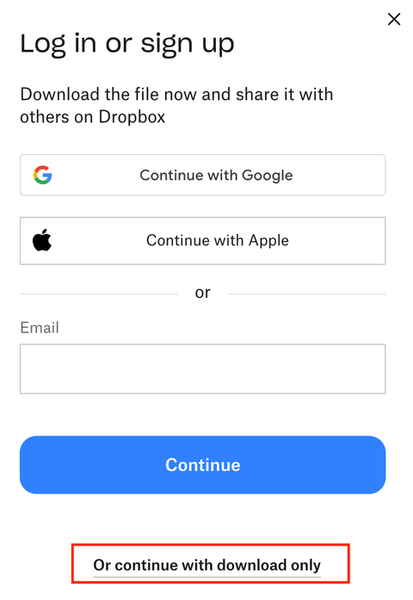
how do I get rid of this frustrating pop up when sharing a link with a client? We're a paid dropbox business member and I get a tonne of clients telling me they cant access the files because of this popup. Needs to able to be switch this off. I pay to have ability to share files externally so either make it free and keep the pop up, or let me turn it off. Thanks, so this thread, but not locked - https://www.dropboxforum.com/discussions/101001014/remove-loginsignup-dialog-box-from-shared-link-download/757059#M82871508Views8likes9Comments
Need more increments for playback speed in audio files
Would like to see an additional playback speed increment for playing audio files. I proof audiobooks and sometimes the speed at 1.0 is too slow, yet the next increment of 1.25 is too fast for this purpose. 1.10 would be most helpful!437Views5likes8Comments
Viewable tags next to folders/files when you try to preview them.
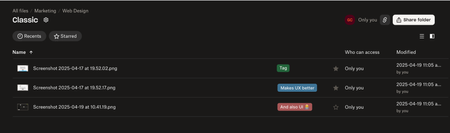
Hello Dropbox team 👋 I would really really love to be able to see tags appear besides the name of the files in any view, or folder, and on the mobile app, web version, and desktop app. Just a nice coloured tag left to the star icon would be wonderful. Yes, I know at Dropbox you are not a big fan of small, seemingly unnecessary cutomizations that don't serve an immediate and measurable purpose, but making customers happy is very important (here by improving UI and UX significantly and seemlessly for a small amount of time and effort). I'm sure the intern could figure it out in three days. Also if you are hyper motivated you can add a filter for tags to sort files (but NOT necessary, making them visible and coloured is already a great improvement). Here is what I imagine when I say tags: For colours you can do just like in Notion, where you can choose from pre-determined colours:282Views4likes4Comments
AI Assistant to understand contents and organize Dropbox files
I’m a personal plan user and would like to request an AI assistant that can actively organize my Dropbox, not just search it. What I’m looking for is a chat-based AI that can understand the contents of my files and folders and: - Execute direct instructions (e.g. “Rename these files using this pattern”) - Propose organization actions and apply them after confirmation Examples of actions: - Renaming files based on their content and a given naming pattern - Moving and grouping related files into appropriate folders - Identifying duplicates, similar, or outdated files and deleting or archiving them Dropbox Dash is a great step for discovery, but I’m looking for AI that can turn intent (“this belongs with that”) into actual file operations inside Dropbox.125Views3likes1Comment2-page / Book view for PDF's
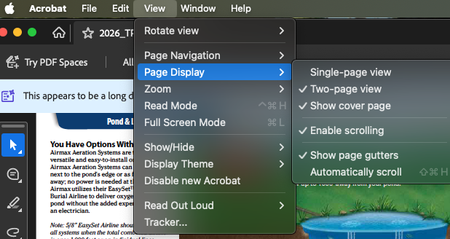
It would really be great to be able to view PDF's in "Two page view" like on Acrobat. It makes it much easier for clients to review documents intended to be read/viewed in spread format WHILE KEEPING THE ACCURATE PAGE NUMBERS. Yes, as a designer, I can export a document in spread view, but then the page numbers will be off (i.e. the spread of pages 4 and 5 are combined and appear as a single page 3) and can make communicating about the document complicated. To see what functionality I am talking about, please open a multi page document in Acrobat and go to the View --> Page Display options as shown in my included screen shot.104Views3likes1Comment