Our Community is in read-only mode until April 8th, learn more here. You can still search existing threads or get help via Dropbox Support, the Dropbox Help Center, or Learn.
Web
18 Topics
Dropbox Login Not Working in Google Chrome
Hi, Since yesterday I could not log in using Google Chrome, however I can access it using Internet Explorer from the same desktop. Its look like the "Sign In" buttom is disabled in Google Chrome but not in Internet Explorer. What can I do? JavierMatosSolved31KViews1like10Comments 5.1KViews0likes11Comments
Live chat button does not work
Hello- I have a paid personal account and the live chat button is available to me for support. Unfortunately when I chose the button for English nothing happens at all. Does anyone know how to use live chat? I have tried it in Chrome, Internet Explorer and incognito, nothing.4.2KViews0likes18Comments
Endless loop when trying to use & connect both my personal & work account.
Here's the scenario. Mac OS Ventura, I have a Work Dropbox account & a Personal one. I connect these online while signed into my personal account easily enough. Go through the websites selective sync process for my personal account which changes the Personal Dropbox folder to the dropbox icon in Finder & in the dropdown menu of the app shows it at the top & as "signed in". Syncing begins, I have access to the right-click menu to assign files as "online only" or "available offline" in Finder, all good so far. I check with dropbox information... here is their quote: "You must be logged into both linked Dropbox accounts on the web session or the app you're using to switch between your accounts." So I move on to signing in to my work account which appears in the dropdown of the app as signed out. Heres where the issues begin... When I go to the app to switch accounts, it takes me back to the online process to selectively sync, however if I follow that through to completion my work account is signed in & my Personal account is now signed out. If I try to sign in to my Personal account in the Preferences / Account tab of the app it takes me back to the online selective sync cycle I've already completed for that account & if I follow that through to completion a second time I am then signed out of my Work account. The same thing happens if I follow Dropboxes own instructions & try to do it on the website. Endless loop ensues. It absolutely baffles me the software engineers get sign off on these products & are able to bring them to market when they are so woefully poorly built. God knows how much my work are paying for this next to useless software... I look forward to a moderator or staff member explaining to me how despite following all instructions this is somehow my fault.Solved4.1KViews0likes21Comments
How do I get rid of these annoying dropbox pop-ups and drop-down menus?
This new version of Dropbox really has me confused! I was used to a simple relationship with it. I knew how to upload something to Dropbox and download it on another device elsewhere. That sort of thing. However, this new version has added this feature where pop-up/dropdown menus seem to be everywhere and appearing all the time. They're not only annoying as hell, but they’re often in the way, blocking some of the basic functions I'm using in an app. That said, can someone tell me how to turn these things off? I haven't been able to figure it out as hard as I've tried.Solved3.8KViews0likes7Comments
Dark mode switch is missing on the Dropbox website
Hello, could you please add an option to disable Dark mode on Dropbox website? Is highly unusable for my eyesight. My system has dark mode on but most of apps have a switch to enable or disable it regardless system settings. I prefer some apps with dark mode and some without it. Please add an option to disable this on dropbox. Turning off in system settings is not an option.Solved3.6KViews4likes14Comments
The web page does not open when one click on the icon.
Hello, I have the problem as described. The Dropbox web page does not open when clicking on the icon at the top of the desktop menu bar ( selection option ). My browser: Firefox 115.2.1esr (64-bit) Operating system: Ubuntu 20.04 LTS It should be noted that it worked at the beginning and then suddenly no longer. -bi3mw-Solved2.6KViews0likes13Comments
Wrong date format in email notiifcations despite settings
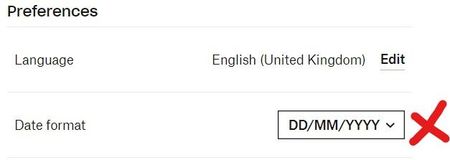
The date format is set to DD-MM-YYYY in my preferences, but Dropbox emails are arrving in a completely different format with the month and day inverted. I know MM-DD-YYY is used in the US, but in the UK and Europe this is incorrect for numerical dates, and when it's not obvious that the day couldn't also be a month (e.g. 03/31/2023), the problem isn't always detectable and can cause problems (meeting dates is the common issue). When reading the email below, I actually assumed Dropbox was informing me about outdated changes from Jan/Feb and that my desktop app had some kind of sync problem. Regarding what solutions I've tried from similar threads: my Dropbox language is 'non-US' English, my timezone is the one for London, my computer's region is set to UK, and its timezone is also for London. I've also cleared my browser cache etc etc, but doubt any of this will affect how Dropbox notification emails are being sent. So has anyone got any other suggestions? Will try anything at this point.Solved1.9KViews0likes5Comments