Our Community is in read-only mode until April 8th, learn more here. You can still search existing threads or get help via Dropbox Support, the Dropbox Help Center, or Learn.
Web
13 Topics
embed video (dl.. raw=1) does not work
Hi I have checked various guides and instructions on setting up embeded video on website, with the video mp4 hosted on dropbox. The error I got is "No video with supported format and MIME type found." My code is (e.g. on abcde.net/test.html) <html> <body> <h1>one</h1> <video width="100%" height="auto" controls> <source src="https://dl.dropbox.com/scl/fi/blablablafile.mp4?raw=1" type="video/mp4"> Your browser does not support the video tag. </video> </body> <html> I got this code from somewhere, inserted the H1 to make sure the page does load, yes. The mp4 works if accessed directly, with the http://www.dropbox. The only guess I .... guess is that I am on a basic/free dropbox account. To prove it, I put the same mp4 on the same server and folder of the web page (ie. abcde.net/test.html), and the video shows up and plays. Thank you for clarifying! DavidSolved133Views0likes3Comments
Find DBID on Local PC
Application Affected My own app Device Windows 11 VM Operating System/Browser (if using the web) Windows 11 Dropbox App Version (if using the app) Latest Question or Issue We have an app that uses the Dropbox API quite significantly. The user must signin to our app using the Dropbox API and our own login code. It's possible that the user has logged into the Web version of the app at some time, but is using a different account on the PC App. This causes considerable grief in our system where, on install say, the system goes off into the web system and says you have a record with this account, but we cannot find the details, but the user installing the system notes that their local (PC App) account has no records associated with it. Such a use case occurs during testing, but it is perfectly plausible that a user could have their business and one or more personal Dropbox accounts, so definitely a use case that can occur in the real world. The simplest way to prevent this is that, on startup, verify that the DBID returned by the API is the same as the local account (ie. the installed APP). Simple question: Where on the local PC are the local app account details kept? Ideally it would be the DBID, but worst case it could be the associated email address? I am not having any luck with my internet searches for this info (AI does not know the difference between the DBID and the Host ID in the info.json file). EDIT: Of course if we could also find the associated email address (ie. the login to the web email address and the account associated with the app email address) then we could compare. Email address is unique in this context so if they differed same as a differing DBID. Again, I cannot seem to determine the email address associated with the local Windows Dropbox app?Solved434Views0likes10Comments
409 no_write_permission
Hi, I am using dropbox in n8n and have connected a dropbox team account. But I am getting 409 no_write_permission error. It was working fine a few days earlier but now I am getting this error for no reason. I changed nothing in n8n, nor in my dropbox settings. It was working fine a few days ago. It happened before too, and it got resolved after reconnecting and create a new node. But I am getting the same error again. Why am I getting this error and what is the fix. Please help me out! complete error: 409 - "{\"error_summary\": \"path/no_write_permission/.\", \"error\": {\".tag\": \"path\", \"reason\": {\".tag\": \"no_write_permission\"}, \"upload_session_id\": \"pid_upload_session:ABIJdIKguQwyyRnlJPP0VU6cKu7yvOT0Xo4yZCllqv3074TJtg\"}}"Solved450Views0likes5CommentsCan't test dropbox choser api via localhost
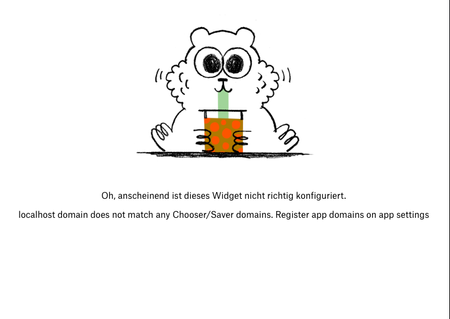
Currently trying to integrate dropbox into my weapp for an university project. But for some reason when clicking the implemented button to chose a file from dropbox i get this error window. And I can't add localhost as a choser domain for testing. Any ideas? Thanks in advance!SolvedClicking files in embedded Dropbox leads to registration screen instead of direct download
We have embedded Dropbox onto our website in an iframe: [Removed as per Community Guidelines] We produce a Dropbox read only share link to include in the embed code. For some folders we get a share link containing /scl/fo/ which leads to a registration splash screen whenever a website visitor clicks a file in the embedder. However we want to start a download instead of a registration... The strange thing is that other folders for which we produce a read only share link contain /sh/ . When you click on a file in the embedder with this link in the code, the download starts without a registration splash screen. Now, I've read that a link containing /scl/fo/ is an edit link. Why do some folders produce a link containing /scl/fo/ and others /sh/ while we explicitly ask for a read only share link? We run a Dropbox Advanced plan.3.2KViews0likes24Comments
500 on Approving Request Access to Shared link with invite only option
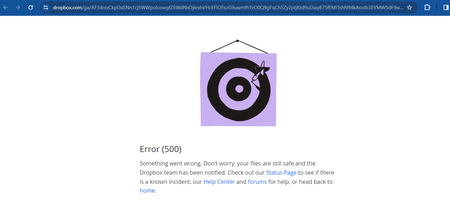
Hi, I have a folder A which is created programmatically in Dropbox by a user A using my application. (Dropbox SDK ) Now if i create a link via using the rectangular icon with arrow with Invite only permission and can view privilege. Now when the user clicks request access button shown when clicking on the link Iam getting a Approve request. SO from my Dropbox web app im approving the request and facing a 500 error. Screenshot attached1.5KViews0likes10CommentsI can't download files by command
Download files with wget Hello gentlemen of the community. I have a problem. I've been using "wget" since June 2021 to download a file and since then everything has been fine. But this morning the command does not respond and gives clues as to what may be happening. Below is the command I use and it was working: wget -q --no-check-certificate https://www.dropbox.com/s/4mf0awazg0z0ols/TESTE.7z -O TESTE.7z It simply skips a line without any message. I thank you in advance for your support. Marcos4.2KViews0likes9CommentsHow to get a CSV/text file with list of Team-Folders, along with their members? Any workaround?
Hi there Any workaround, or add-on? I have Dropbox Business. How to get a CSV/text file with list of Team-Folders, along with their members? E.g.: ------------------- Folder1, john@domain.com;jack@domain.com; Folder2, mary@domain.com;jessica@domain.com; Folder3, tom@domain.com … and so on. -------------------- Thanks.1.2KViews0likes7Comments