Need to see if your shared folder is taking up space on your dropbox 👨💻? Find out how to check here.
account access
1973 TopicsAlmost impossible to login due to "games" captcha
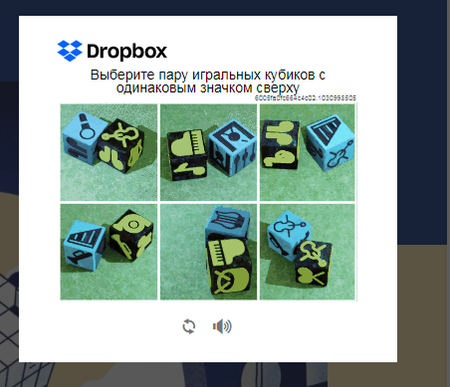
I have a problem I hope you can help me resolve. I use my Dropbox free acount to move files from my phone to the office computer. They are personal things, so I can't install the app or login out of a private browser session. I have two-factors autentication active. Dropbox makes me lose a lot of time in stupid games before login to prove I'm human. I'm not talking about reCAPTCHA here, but real games where you move people to the right chair and other crap like that. How can I avoid this? It's ridicolous, if I wanted to play I will have open an account to a game site, not to personal cloudspace.2.3KViews7likes32CommentsWhy was my account disabled?
Company account with email (like email Dropbox of me) has been disabled from Saturday, July 11, 2020. Dropbox hasn't emailed notification? This account is used for business. Please help me! [Moderator Edit: Removed personal information as per the Community's Guidelines]Solved21KViews7likes115CommentsRemove login or sign-up popup when sharing a link.
how do I get rid of this frustrating pop up when sharing a link with a client? We're a paid dropbox business member and I get a tonne of clients telling me they cant access the files because of this popup. Needs to able to be switch this off. I pay to have ability to share files externally so either make it free and keep the pop up, or let me turn it off. Thanks, so this thread, but not locked - https://www.dropboxforum.com/discussions/101001014/remove-loginsignup-dialog-box-from-shared-link-download/757059#M82871337Views6likes7CommentsMobile Authenticator not working
Using 2-step verification, I've recently tried switching from receiving texts to using the mobile authenticator. However, the latter is not working. I'm getting 'invalid' code when i try to input the code generated. How is this possible? Is there no other way to use 2-step authenticator without having to resort to texts?Solved59KViews6likes78CommentsDropbox Unlinked My Accounts Suddenly
Hi there! I've have a free dropbox personal account for 15 years, and at some point added a free Teams account. Several years ago I upgraded the Teams account to a Professional account. ----- Today I got this message, and all my Professional files were taken off my machines (they're still on dropbox of course) Business Dropbox Removed: Your business Dropbox account was removed from this computer because your accounts were unlinked. Your files have not been deleted. ------ I would love to be able to link my two accounts, and continue having two separate dropbox home folders on my machine. Basically, I am leaving the country tomorrow morning and will have extremely limited internet access. I just need it to work how it used to, but I accept that I may need an alternate setup based on whatever Dropbox has changed. When I am signed into my Personal (free) account, it says I have 3TB of space, and the same for the Professional account. Within the settings menu the Pro account is called Personal Account, but when I check the billing plan for the Pro account, it calls it Dropbox Professional. Any solutions? Many Thanks! (too bad this is my only option for customer support 🙂Solved11KViews5likes27CommentsLogin error 500. ...anyone else?
Error (500) Something went wrong. Don't worry, your files are still safe and the Dropbox team has been notified. Check out our Status Page to see if there is a known incident, our Help Center and forums for help, or head back to home. I get the same issue if I click on home link, and help link. Status page says there are no problems. I also got a notification that my account has been downgraded and that I can no longer set files to be online only. anyone else having similar issues? ThanksSolved5.1KViews4likes11CommentsCan't access email to get 6-digit code
I can login successfully, but needs me to check 6-digit code in email. Before immigration, login dropbox never needs me to check 6-digit code in email. After immigration, it needs me to check 6-digit code in email. (same computer) My email account was disabled (long time no use and I forgot the password), I can't login to my email to check the 6-digit code. I only want to login Dropbox without check email 6-digit code, so what can I do? ThanksSolved62KViews4likes429CommentsUnable to login S Mode
Able to login ok via web but when opening in S Mode app cannot login due to reCAPTCHA, you enter username/password fine, then reCAPTCHA comes up, complete that as required but then after clicking verify it goes blank then reopens reCAPTCHA as though clicking login again so unable to get past this step, any help would be hugely appreciated!Solved6.8KViews4likes44Comments