Our Community is in read-only mode until April 8th, learn more here. You can still search existing threads or get help via Dropbox Support, the Dropbox Help Center, or Learn.
account access
696 Topics
Deleting an account I no longer have access to
Question or Issue I created a Dropbox account years ago using the "log in with Google" feature so I never had to set up a password. That Google account now no longer exists, so I am unable to access my account. Is there a way to delete it? I've already contacted support but they didn't get back to me about the deletion request. I know that if you don't log in in 12 months or so your account will be deleted due to inactivity, but I'm pretty sure that my account has not been accessed in a very long time and despite that I was able to log in a few months ago (when I still had access to the Google account)47Views0likes1Comment
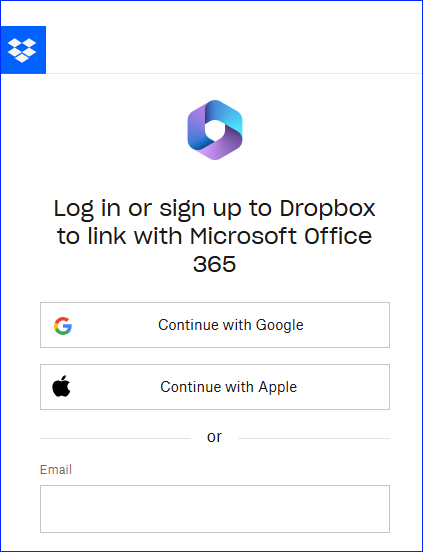
I don't want to link Dropbox with Office 365. How can I stop this pop up?
Hi everyone. From my end, it's still showing the very same problem. Eeeeevery time I try to access any office file in Dropbox, this annoying pop up appears... Is there any way to stop this? And no, I don't want to relate my Onedrive account to Dropbox account. Thanks.66Views0likes5Comments
I can't sign into my Dropbox account because I do not have access to my email
(Free plan) (I do not have access to my email and it says my password is invalid when it is not invalid because I tried to sign in last week and it was the right password. Not I cant even reset my password because I dont have access to my email.) I Need to get into my account because years and years of my childhood memories are in there and I been with Dropbox for over 10 years. Please someone help me! Google will not give me back my email account so there is no chance of recovering my email. I have tried to sign in on all the devices I know and still nothing.64Views0likes4Comments
macOS File Provider: Dropbox cannot relink to existing CloudStorage folder
Application Affected Dropbox on Windows PC and iMac Sequoia Device Windows PC and iMac Sequoia Operating System/Browser (if using the web) Latest Windows, iOS 15.7.4 After a routine restart, the Dropbox desktop app lost its login state and now cannot relink to the existing File Provider folder at ~/Library/CloudStorage/Dropbox; instead the installer tries to create a new Dropbox folder. I have been successfully using Dropbox with the macOS File Provider configuration (CloudStorage location) for several months. My Dropbox folder has consistently been located at: /Users/xyz/Library/CloudStorage/Dropbox I did not reinstall the Dropbox application and I did not intentionally sign out or attempt to relink my account. The issue appears to have started after a routine computer restart, at which point the Dropbox desktop client seemed to lose its login state. When I start the app now, the first thing I see is a “Welcome to Dropbox” message and the menu bar icon indicates that the application is “Waiting to be linked to a Dropbox account.” My existing Dropbox folder remains intact. The folder at /Users/xyz/Library/CloudStorage/Dropbox still contains all my files. The .dropbox marker file is present in that folder. All files are also visible and intact on dropbox.com. When I attempt to sign in through the desktop app, the following occurs. The app asks me to sign in with Dropbox. After signing in, the setup process shows the message “There’s already a folder named Dropbox.” If I select “Choose Another Location” and point to the existing folder, the dialog says “A folder named ‘Dropbox’ will be created inside the folder you select.” This suggests the installer is trying to create a new Dropbox folder rather than adopt the existing File Provider folder. Because of that message I have not proceeded, since it appears it would create a nested structure such as: /Users/xyz/Library/CloudStorage/Dropbox/Dropbox Currently the Dropbox icon appears in the menu bar but is greyed out and the client shows the state “Waiting to be linked to a Dropbox account.” To summarize: I was already using the CloudStorage/File Provider location successfully for months. I did not reinstall Dropbox. I did not intentionally unlink the account. The existing Dropbox folder and files are still present and intact. The client appears unable to relink to the existing File Provider folder and instead tries to create a new one. During the setup flow the client also displayed the message that the desktop app cannot sync over 500,000 files. I am not sure if this is related. However, only about 150–200k files are synced locally on my iMac. I also discovered the identical situation on my Windows PC starting at about the same time, which suggests this may be related to my Dropbox account rather than the individual devices or operating systems. Could someone advise how to safely relink the Dropbox client to the existing File Provider folder at: /Users/xyz/Library/CloudStorage/Dropbox without creating a second Dropbox folder? I rely heavily on Dropbox for daily work, so I would greatly appreciate guidance. Thank you.107Views0likes5CommentsI can no longer log in to both my Dropbox accounts on the desktop app.
Dropbox Plan Plus and also Free Payment Method Card Question Issue I used to be able to log into my work account (Plus) and my personal/free account on the dropbox app. Now, I can only log into the Plus account or the Free account but not both. Why?24Views0likes1Comment
6-digit security code authentication loop on Samsung S8 browser
On Sambung S8 phone, Samsung browser, tried to log in to Dropbox free, basic account using email address & password. Two factor authentication sent me email with 6 digit authentication code. Opened gmail to get code, memorized code, then returned to Samsung browser to enter the code. When I clicked on browser, it cleared current page, returning me to log-in page to re-enter email address & password, as if cache memory had been cleared at app swapping from browser-Gmail-Browser. I cleared all cache files, background apps, tried to login again, but got the same problem. With the restarted login, the prior 6 digit code is no longer valid, so I am in a doom loop forever, and can never access dropbox through my phone while 2 Factor Authenication is on.32Views0likes1CommentI can't log in to the Dropbox app through my new Android phone
I just upgraded my Android phone and I can't access the files in the app. I have a premium account and I went through and unlinked past devices but I still can't access it. I've been logging using Google. I clicked on the email that I got that verify it was me trying to log in but I still can't access my account. No matter what I do, nothing is working. Can somebody hear help? Thank you115Views0likes4Comments