Our Community is in read-only mode until April 8th, learn more here. You can still search existing threads or get help via Dropbox Support, the Dropbox Help Center, or Learn.
Forum Discussion

REL_IT
2 years agoExplorer | Level 3
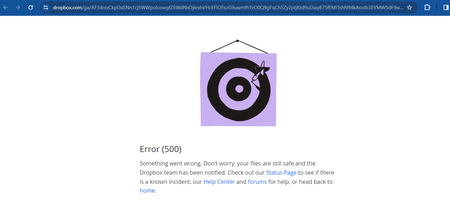
500 on Approving Request Access to Shared link with invite only option
Hi,
I have a folder A which is created programmatically in Dropbox by a user A using my application. (Dropbox SDK )
Now if i create a link via using the rectangular icon with arrow with Invit...

Walter Dropbox Community Moderator
2 years agoDropbox Community ModeratorHey REL_IT - sorry to hear about this.
Could you let us know if the error persists after clearing your browser's cache or on another browser too?
Also, is this issue related to your other post perhaps?
Keep me posted!

REL_IT
2 years agoExplorer | Level 3
Iam thinking about one more solution but i am facing bottle neck there. My App is using Dropbox sdk and also a long lived access token which is already stopped by dropbox for new generation.
My app also has share.write access as well in the admin console. But still when i try to create a link using createsharedlinkwithsettings method iam facing the following error "{"error":{".tag":"missing_scope","required_scope":"sharing.write"},"error_summary":"missing_scope/"}
" .
Note: APP is currently in production and in use and cant risk the loss of or forcing the current long lived access token to expire by doing some action. So I'm stuck at that level else i would at least run a scheduler to generate link for a list of the folders atleast i need. Walter
- Megan2 years ago
Hey REL_IT, thanks for clarifying!
It sounds like our API part of our Community would be able to help better with this, since we're talking about an app that you've created on your end.
I'm going to be moving your thread there, and an agent will take over, thank you!
- Greg-DB2 years ago
REL_IT A 'missing_scope' error indicates that while the app is permitted to use that scope, the particular access token you're using to make the API call does not have that scope granted. Also, be aware that just adding a scope to your app via the App Console does not retroactively grant that scope to existing access tokens or refresh tokens.
That being the case, to make any API calls that require that scope, you'll need to re-authorize the app to get a new access token (and refresh token, if being used) with that scope. Refer to the OAuth Guide and authorization documentation for more information.Updating the scopes on an app or creating new access tokens would not impact or expire existing long-lived access tokens.
For help with any 500 errors on the Dropbox web site itself, please contact support.
- REL_IT2 years agoExplorer | Level 3
HI Greg,
Thanks you for the clarification, I have created a new access token and generated the links via api where it generates sub folder level links. Now that the sl token expires i lost my refresh token. Should i again generate token ??
Also can you let me know if there is way to delete bulk shared links since i cant have the expire feature because of Dropbox plus. Please advise.
Thanks
- Greg-DB2 years ago
REL_IT Dropbox refresh tokens don't expire automatically, so you should store and re-use them. If you didn't store your refresh token, you'll need to process the authorization flow again to get another one.
For reference, Dropbox is no longer offering the option for creating new long-lived access tokens. Dropbox is now issuing short-lived access tokens (and optional refresh tokens) instead of long-lived access tokens. You can find more information on this migration here. Apps can still get long-term access by requesting "offline" access though, in which case the app receives a "refresh token" that can be used to retrieve new short-lived access tokens as needed, without further manual user intervention. Refresh tokens do not expire automatically and can be used repeatedly. You can find more information in the OAuth Guide and authorization documentation. There's a basic outline of processing this flow in this blog post which may serve as a useful example.
You can revoke shared links via the API by using the /2/sharing/revoke_shared_link endpoint. That requires one API call per shared link though, so you'd need to make multiple calls to revoke multiple links.


About Dropbox API Support and Feedback

Get help with the Dropbox API from fellow developers and experts.
The Dropbox Community team is active from Monday to Friday. We try to respond to you as soon as we can, usually within 2 hours.
If you need more help you can view your support options (expected response time for an email or ticket is 24 hours), or contact us on X, Facebook or Instagram.
For more info on available support options for your Dropbox plan, see this article.
If you found the answer to your question in this Community thread, please 'like' the post to say thanks and to let us know it was useful!


