Our Community is in read-only mode until April 8th, learn more here. You can still search existing threads or get help via Dropbox Support, the Dropbox Help Center, or Learn.
Forum Discussion

REL_IT
2 years agoExplorer | Level 3
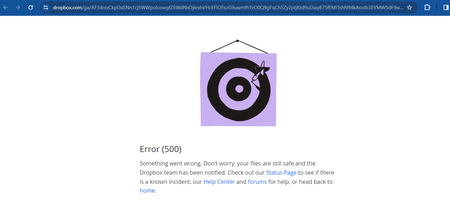
500 on Approving Request Access to Shared link with invite only option
Hi,
I have a folder A which is created programmatically in Dropbox by a user A using my application. (Dropbox SDK )
Now if i create a link via using the rectangular icon with arrow with Invit...

REL_IT
2 years agoExplorer | Level 3
HI Greg,
Thanks you for the clarification, I have created a new access token and generated the links via api where it generates sub folder level links. Now that the sl token expires i lost my refresh token. Should i again generate token ??
Also can you let me know if there is way to delete bulk shared links since i cant have the expire feature because of Dropbox plus. Please advise.
Thanks

Greg-DB Dropbox Community Moderator
2 years agoDropbox Community ModeratorREL_IT Dropbox refresh tokens don't expire automatically, so you should store and re-use them. If you didn't store your refresh token, you'll need to process the authorization flow again to get another one.
For reference, Dropbox is no longer offering the option for creating new long-lived access tokens. Dropbox is now issuing short-lived access tokens (and optional refresh tokens) instead of long-lived access tokens. You can find more information on this migration here. Apps can still get long-term access by requesting "offline" access though, in which case the app receives a "refresh token" that can be used to retrieve new short-lived access tokens as needed, without further manual user intervention. Refresh tokens do not expire automatically and can be used repeatedly. You can find more information in the OAuth Guide and authorization documentation. There's a basic outline of processing this flow in this blog post which may serve as a useful example.
You can revoke shared links via the API by using the /2/sharing/revoke_shared_link endpoint. That requires one API call per shared link though, so you'd need to make multiple calls to revoke multiple links.
- REL_IT2 years agoExplorer | Level 3
Hey Greg-DB , Thanks.
But i have a problem now , Im seeing folders named tmp which are being available in the actula destination path. And some proofs are inside the tmp instead of the actual folder.
I can also see error messages like Exception in moving files.
- Greg-DB2 years ago
REL_IT Dropbox itself does not add a "tmp" folder in your Dropbox paths. When uploading via the Dropbox API, the third party app specifies the desired destination path via the "path" parameter that it sends to the API. If you're seeing unexpected path components, please check the "path" parameter that your app is sending.
And if you're seeing any unexpected errors from the Dropbox API, I'll be happy to help, but I'd need some more information. In that case, please reply with:
- the name and version number of the platform and SDK/library you are using, if any
- the steps to reproduce the issue, including relevant code snippet(s), but don't include any access or refresh token(s)
- the full text of any error or unexpected output
About Dropbox API Support and Feedback

Get help with the Dropbox API from fellow developers and experts.
The Dropbox Community team is active from Monday to Friday. We try to respond to you as soon as we can, usually within 2 hours.
If you need more help you can view your support options (expected response time for an email or ticket is 24 hours), or contact us on X, Facebook or Instagram.
For more info on available support options for your Dropbox plan, see this article.
If you found the answer to your question in this Community thread, please 'like' the post to say thanks and to let us know it was useful!


