Our Community is in read-only mode until April 8th, learn more here. You can still search existing threads or get help via Dropbox Support, the Dropbox Help Center, or Learn.
Forum Discussion

Littlepage
6 months agoNew member | Level 2
Can't get Oauth to work... please help
Question or Issue
I'm a little frustrated with the poor examples of dropbox... :-( I'm trying to start with Oauth, I'm trying to build a c# console app that will run for hours, since the tokens exp...

DB-Des Dropbox Community Moderator
6 months agoDropbox Community ModeratorHi Littlepage
Thanks for sharing the code snippet. I tested it on my end and was able to successfully generate a valid authorization URL. I’d recommend double-checking your environment variables and ensuring that the correct values are being passed to their corresponding variables. That should help narrow down what might be happening.

Littlepage
6 months agoNew member | Level 2
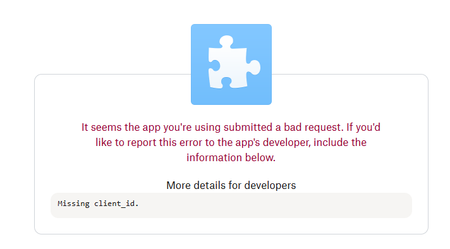
Here's my complete code.. and I tried and it doesn't work
namespace LittlePageUpload3
{
using Dropbox.Api;
using System;
using System.Diagnostics; // For Process.Start
using System.Runtime.InteropServices;
using System.Threading.Tasks;
public partial class Program
{
static async Task Main(string[] args)
{
const string AppKey = "xtva8nnzc76bn1g"; // Replace with your App Key
const string AppSecret = "XXXX"; // Replace with your App Secret
const string RedirectUri = "http://localhost:8080/"; // Replace with your Redirect URI
// Generate a unique state for security
string oauth2State = Guid.NewGuid().ToString("N");
// Get the authorization URI
Uri authorizeUri = DropboxOAuth2Helper.GetAuthorizeUri(
OAuthResponseType.Code,
clientId: AppKey,
new Uri(RedirectUri),
state: oauth2State,
tokenAccessType: TokenAccessType.Offline
);
// Open the URI in the user's default browser
Console.WriteLine("Opening Dropbox authorization in your browser...");
Console.WriteLine("authorizeUri: " + authorizeUri.ToString());
Process.Start(new ProcessStartInfo("cmd", $"/c start {authorizeUri}") { CreateNoWindow = true });
Console.WriteLine("Please authorize the app in your browser and copy the code from the redirect URL.");
Console.Write("Enter the authorization code: ");
string code = Console.ReadLine();
// Exchange the authorization code for access and refresh tokens
var tokenResult = await DropboxOAuth2Helper.ProcessCodeFlowAsync(
code: code,
appKey: AppKey,
appSecret: AppSecret,
redirectUri: RedirectUri
);
// Store tokenResult.AccessToken and tokenResult.RefreshToken securely
Console.WriteLine($"Access Token: {tokenResult.AccessToken}");
Console.WriteLine($"Refresh Token: {tokenResult.RefreshToken}");
}
}
}
My control panel looks like this:
About Dropbox API Support and Feedback

Get help with the Dropbox API from fellow developers and experts.
The Dropbox Community team is active from Monday to Friday. We try to respond to you as soon as we can, usually within 2 hours.
If you need more help you can view your support options (expected response time for an email or ticket is 24 hours), or contact us on X, Facebook or Instagram.
For more info on available support options for your Dropbox plan, see this article.
If you found the answer to your question in this Community thread, please 'like' the post to say thanks and to let us know it was useful!


