Your workflow is unique 👨💻 - tell us how you use Dropbox here.
Forum Discussion

pruebascceo
3 years agoExplorer | Level 3
My dropbox files get broken after a while
My Dropbox files start to break after a while. I'm making a Laravel Application with the Spattie Dropbox Client to connect my Dropbox account to the system. So, when a user uploads an image from the ...

Greg-DB Dropbox Community Moderator
3 years agoDropbox Community ModeratorThanks for following up with the additional information. So when you refer to the file being "broken", I see you're referring to the Dropbox web site being unable to preview the image.
The existence or expiration or a shared link shouldn't corrupt a file. If a shared link is no longer valid, the shared link page would no longer load at all; it wouldn't change the file data.
I suggest checking a few things:
- Are there any other clients or operations running on your Dropbox data that may be changing these files? You may want to check the event history.
- What is the size of the file when it is broken? Is it a different size than when you originally uploaded it?
- What data is actually in the broken file?
- If you download the broken file, are you able to view it as an image locally?

pruebascceo
3 years agoExplorer | Level 3
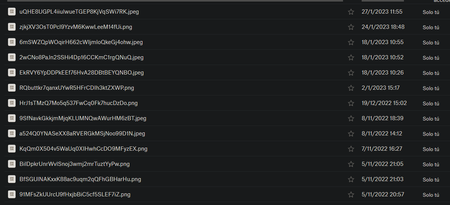
1.- There´s nothing about removed files activity.
2.- The file's size changes.
3.-
4.-
There's nothing.
- Greg-DB3 years ago
1. The file wouldn't necessarily have been removed. It seems like it may be edited.
2. If the file size changed, it sounds like it was edited at some point. You can check the version history of the file.
3. It's unclear what you're showing in the last screenshot. Is that you attempting to view the file on the Dropbox web site or locally after you downloaded it from the Dropbox web site? It may be helpful to inspect the contents in a text or binary editor locally to see what is in the file.
About Dropbox API Support and Feedback

Get help with the Dropbox API from fellow developers and experts.
The Dropbox Community team is active from Monday to Friday. We try to respond to you as soon as we can, usually within 2 hours.
If you need more help you can view your support options (expected response time for an email or ticket is 24 hours), or contact us on X, Facebook or Instagram.
For more info on available support options for your Dropbox plan, see this article.
If you found the answer to your question in this Community thread, please 'like' the post to say thanks and to let us know it was useful!


