We’re Still Here to Help (Even Over the Holidays!) - find out more here.
Forum Discussion

FungusSausage
2 years agoExplorer | Level 4
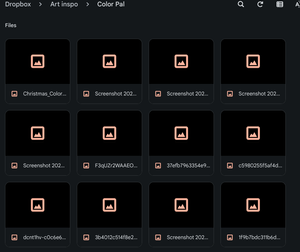
Dropbox thumbnails not showing on my Google Chromebook
So I'm trying to transfer files from laptop to laptop, Google Chromebook OS' 32-bit to 64-bit (Linux) if that helps any. It worked, to some degree... But for some reason the thumbnails will not load ...

Walter Dropbox Community Moderator
2 years agoDropbox Community ModeratorThanks for clarifying that for us @FungusSausage
Can you please clarify where exactly are you spotting the issue with the thumbnails as it's not quite clear to me from your screenshot?
Is this when you navigate your files locally on your devices or via a 3rd party app perhaps?

FungusSausage
2 years agoExplorer | Level 4
Right, when Dropbox syncs my photos to my files app on my laptop, and makes a new folder for dropbox, the folders-images do not show the Thumbnails to images when I open a folder.
- FungusSausage2 years agoExplorer | Level 4
blob:chrome-untrusted://media-app/85171dc1-608b-4ada-8076-f9a3d79848c6
an example video since I'm not quite sure how to put up videos.- Hannah2 years ago
Hey @FungusSausage, unfortunately, for security reasons, we can't access the link you gave us.
Is it possible to attach a series of screenshots in your next reply, showing the process and what you see?

About View, download, and export

Need support with viewing, downloading, and exporting files and folders from your Dropbox account? Find help from the Dropbox Community.
The Dropbox Community team is active from Monday to Friday. We try to respond to you as soon as we can, usually within 2 hours.
If you need more help you can view your support options (expected response time for an email or ticket is 24 hours), or contact us on X, Facebook or Instagram.
For more info on available support options for your Dropbox plan, see this article.
If you found the answer to your question in this Community thread, please 'like' the post to say thanks and to let us know it was useful!


