Your workflow is unique 👨💻 - tell us how you use Dropbox here.
Forum Discussion

Mandacious
4 months agoNew member | Level 2
I'm not offline, but the Dropbox website says I am.
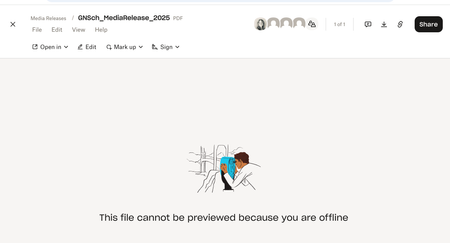
- 4 months ago
Hi Mandacious, thanks for contacting us!
Could you try switching browsers to see if the same behavior occurs again?
Otherwise, you can try using incognito/private browsing mode without any extensions running, clearing your cache and even resetting your browser entirely.
Let me know how it goes!

Jay Dropbox Community Moderator
4 months agoDropbox Community ModeratorHi Mandacious, thanks for contacting us!
Could you try switching browsers to see if the same behavior occurs again?
Otherwise, you can try using incognito/private browsing mode without any extensions running, clearing your cache and even resetting your browser entirely.
Let me know how it goes!
 Mandacious4 months agoNew member | Level 2
Hi, switching browsers did not work, but shutting down chrome and clearing all caches did work. Thank you!
- Nancy4 months ago
Happy to hear that did the trick for you, Mandacious!
Feel free to give us a nudge, if something else comes up.
- Theresa3 months ago
Community Manager
Hi there Mandacious, and welcome to the Dropbox Community 👋
Thanks for coming back to update us. Your reply will definitely help other members who might encounter similar issues.
By the way, I’m Theresa 👩💻, one of the Community Managers here at Dropbox HQ. If you’re open to sharing, I’d love to know what you use Dropbox for in your day to day. Whether it’s work files, personal projects, or storing photos, I’m always interested to hear how people use it.
Looking forward to hearing more,
T 😺 (Dropbox Community Manager)


About View, Download, and Export

Get support with viewing, downloading, and exporting files and folders from your Dropbox account.
The Dropbox Community team is active from Monday to Friday. We try to respond to you as soon as we can, usually within 2 hours.
If you need more help you can view your support options (expected response time for an email or ticket is 24 hours), or contact us on X, Facebook or Instagram.
For more info on available support options for your Dropbox plan, see this article.
If you found the answer to your question in this Community thread, please 'like' the post to say thanks and to let us know it was useful!


