Your workflow is unique 👨💻 - tell us how you use Dropbox here.
Forum Discussion

HongStarr
3 years agoExplorer | Level 4
Duplicate files on Mac
Hi, Recently Dropbox requested an updated and now it created two copies of my song files in my DJ software. There seems to be a replica location for all my files called /Library/CloudStorage, in addi...
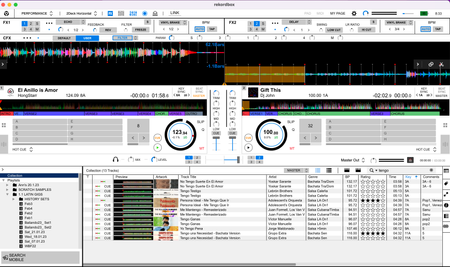
- 3 years ago
As the CloudStorage folder is the correct location, deleting the shortcut would only affect that shortcut itself, and not the files it points to.

Jay Dropbox Community Moderator
3 years agoDropbox Community ModeratorAs I'm not familiar with that app, I'm not sure what I'm looking at. In general, since the migration, there is a shortcut from the old location to the new one, so existing apps could still technically refer to the old location, which redirects it to the new CloudStorage folder.
It's possible that your app might not follow the redirect correctly, or understand that there are two folders. You could try removing the shortcut from the Users folder to prevent this in future.
This won't affect your files, since they're already in the correct, new location. You'll need to remove the duplicate files from your app, however.

HongStarr
3 years agoExplorer | Level 4
The shortcut from the Users folder and the shortcut from the new Dropbox folder under Locations look exactly the same (see screenshot). Are you sure that if I delete one, it won't delete the other?
- Jay3 years ago
As the CloudStorage folder is the correct location, deleting the shortcut would only affect that shortcut itself, and not the files it points to.
- HongStarr3 years agoExplorer | Level 4
This solved the problem. However, Dropbox didn't move the files, it copied the files to a new location, hence the duplicates.
About Delete, Edit, and Organize
Solve issues with deleting, editing, and organizing files and folders in your Dropbox account.
The Dropbox Community team is active from Monday to Friday. We try to respond to you as soon as we can, usually within 2 hours.
If you need more help you can view your support options (expected response time for an email or ticket is 24 hours), or contact us on X, Facebook or Instagram.
For more info on available support options for your Dropbox plan, see this article.
If you found the answer to your question in this Community thread, please 'like' the post to say thanks and to let us know it was useful!


