We're making some changes to the Dropbox Community 👩💻 - Find out more here.
Forum Discussion

Roo-On-Uke
1 year agoHelpful | Level 5
How can I turn off automations on a folder?
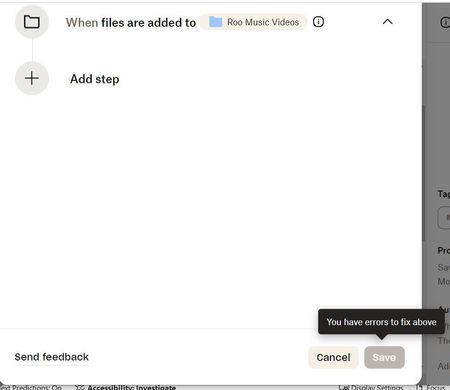
I set up my new Folder with automated conversion to MP4 because I thought I would need that format. However, I do not. I have been unable to figure out how to turn it off for that Folder. on my PC-...
 1 year ago
Never mind. I found it. I call that Trash, not bin.
Done.
Thanks.

Jay Dropbox Community Moderator
1 year agoDropbox Community ModeratorYes, that works, but there should also be a bin icon right next to that slider, like so:

Clicking the bin will delete the automation entirely, and return the folder to it's normal state without automation.
Roo-On-Uke
1 year agoHelpful | Level 5
The bin?
About Delete, Edit, and Organize
Solve issues with deleting, editing, and organizing files and folders in your Dropbox account.
The Dropbox Community team is active from Monday to Friday. We try to respond to you as soon as we can, usually within 2 hours.
If you need more help you can view your support options (expected response time for an email or ticket is 24 hours), or contact us on X, Facebook or Instagram.
For more info on available support options for your Dropbox plan, see this article.
If you found the answer to your question in this Community thread, please 'like' the post to say thanks and to let us know it was useful!


