Need to see if your shared folder is taking up space on your dropbox 👨💻? Find out how to check here.
Forum Discussion

mm-nyc
6 years agoHelpful | Level 5
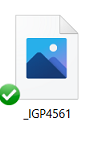
Image thumbnail not showing up, only generic icon when i goto 'camera uploads' to try to attach imag
hi, i just had to reinstall my pc, reinstall dropbox, etc.. all good.
but in outlook i goto attahc an image, i goto my 'dropbox\camera uploads\ folder, and all i see are generic blue icons , not...

DiggerDawson
5 years agoNew member | Level 2
Same problem.
If I drag the file onto my desktop, I can see the thumbnail. But I need to see all the thumbnails to edit my photos. The files are showing Smart Sync Local. If I change this to Online Only, and then go back and change it to Local, the thumbnail appears. I can restore the thumbnails by selecting ALL and then going through this process, but it's a bit annoying and a waste of time.
Is there a better solution?

Daphne Dropbox Community Moderator
5 years agoDropbox Community ModeratorSo that we can have a look into this in more detail, we'd need to continue through our Support channel alongside some device specific info.
If you haven't already reached out to the team, would you mind if I reach out directly to the email linked with your profiles here DiggerDawson and Immortaleye?
If you haven't already reached out to the team, would you mind if I reach out directly to the email linked with your profiles here DiggerDawson and Immortaleye?
 Immortaleye5 years agoHelpful | Level 6
More than happy for you to contact me. The alternative is to consider moving to another platform
- mm-nyc5 years agoHelpful | Level 5
apparently its working now, i dont know how it resolved itself.m
About Delete, edit, and organize
Solve issues with deleting, editing, and organizing files and folders in your Dropbox account with support from the Dropbox Community.
The Dropbox Community team is active from Monday to Friday. We try to respond to you as soon as we can, usually within 2 hours.
If you need more help you can view your support options (expected response time for an email or ticket is 24 hours), or contact us on X, Facebook or Instagram.
For more info on available support options for your Dropbox plan, see this article.
If you found the answer to your question in this Community thread, please 'like' the post to say thanks and to let us know it was useful!


