Need to see if your shared folder is taking up space on your dropbox 👨💻? Find out how to check here.
Forum Discussion

vadoff
8 years agoHelpful | Level 6
Lost files after enabling Selective Sync
What the **bleep**!?
I just lost tens of thousands of crucial log files because I happened to move a large archive folder into Dropbox, then decided not to sync the log folder.
Why the hell would not syncing something permanently delete the files from my LOCAL computer? I'm so [profanity removed by moderation acording to our Community Guidelines], this is ridiculous.
Because that is exactly what you told it to do. And what you confirmed it to do when you are given the pop up prompt.
Edit: that said as long as you are quick and reverse that Selective Sync choice via the menu as Dropbox uses an internal cache you may find that the files are restored - even those none uploaded.
vadoff wrote:
It shouldn't even be designed in such a way that unsyncing something deletes it from the local computer
Yes, it should, when the entire purpose of the feature is to remove a folder from the local drive. That's the point of Selective Sync. It's not meant to allow you to store a folder in your local Dropbox folder that doesn't sync. It's meant to REMOVE folders from your local drive to save disk space while keeping those folders stored in your account online.
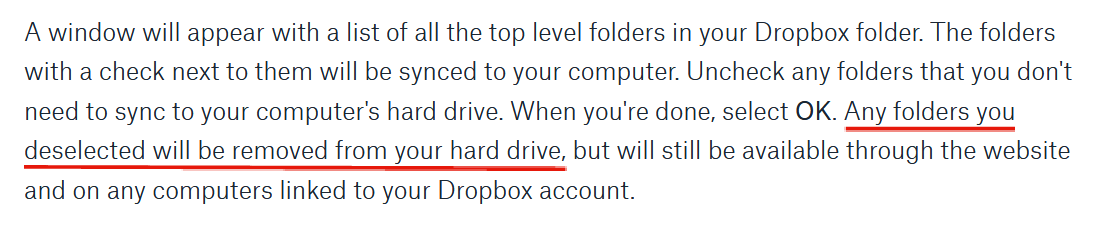
It clearly states that the folder will be removed; both in the documentation for the feature and in the confirmation that appears.
You said:
"It's not like it even went into the trash can, which would be annoying but at least acceptable. If it's going to be PERMANENTALLY DELETED, such a warning should be present and made absolutely clear."
The key thing (which I haven' seen any of the previous responses point out) is that the files have not been permanently deleted. If you go into the selective sync box and re-enable syncing for the folder (it will be available there), then it will re-appear on your local computer. It will take downloading of the many gigabytes of the files from the cloud, so do it on a fast network connection, but they have not been deleted if you just did what it seems from context.
Good luck, hope you get your files back!


22 Replies
Replies have been turned off for this discussion
- CR10016 years agoHelpful | Level 6
Rich wrote:
CR1001 wrote:A link to a statement from RICH SuperUser that Dropbox never behave different delete files from the local drive.
And I'll state it here once again, confirmed by Dropbox themselves, that unchecking a folder within Selective Sync has ALWAYS removed the folder from the local drive. That it the entire purpose of that feature; to save space on the drive by removing the folders.
Thank you for replying again.
Here is another proof and thread that deleting files from a unsynced folder is a new behavior. Look thread date.
https://www.dropboxforum.com/t5/Dropbox-files-folders/How-to-manually-stop-sync-of-a-folder-but-still-retain-local/td-p/360922 - Jay6 years ago
Dropbox Community Moderator
Just to clarify, deselecting folders in selective sync will always delete the local copy of the folder.
It has never had another alternative behavior. If the local folder remained on the machine, then the process actually failed.
If you are finding threads of users experiencing another behavior, then it was due to their setup that prevented the Dropbox desktop application from working as it should.
If you prefer more evidence of this, here is a thread from 2014, showing that this is the original behavior of selective sync.


About Delete, edit, and organize
Solve issues with deleting, editing, and organizing files and folders in your Dropbox account with support from the Dropbox Community.
The Dropbox Community team is active from Monday to Friday. We try to respond to you as soon as we can, usually within 2 hours.
If you need more help you can view your support options (expected response time for an email or ticket is 24 hours), or contact us on X, Facebook or Instagram.
For more info on available support options for your Dropbox plan, see this article.
If you found the answer to your question in this Community thread, please 'like' the post to say thanks and to let us know it was useful!


