Our Community is in read-only mode until April 8th, learn more here. You can still search existing threads or get help via Dropbox Support, the Dropbox Help Center, or Learn.
Forum Discussion

mmday97
2 years agoExplorer | Level 3
Moving files from Dropbox back onto PC
Hi everyone. I wish there was a phone number to call for this but oh well. So my issue is, is that many files that were associated with my Student DropBox account became inaccessible on my PC. I down...

mmday97
2 years agoExplorer | Level 3
I thought I did, but I'm not sure if I did it correctly? Would you kindly take a screenshot of where I'm supposed to go in order to disable it, just so I know for sure?

Nancy Dropbox Community Moderator
2 years agoDropbox Community ModeratorHi from me as well, mmday97.
Can you please click here and send us a screenshot of what you see on that page?
We can guide you from there.
- mmday972 years agoExplorer | Level 3
Thank you Nancy. So here is the order in which I followed the advice for going to the Sync and Backup settings. I'm a very literal person, so not seeing a tab that directly said "Sync and Backup" threw me off a bit!
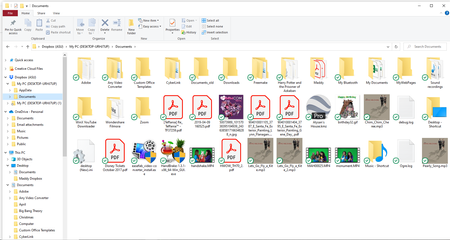
And also according to the Dropbox folder on my computer, it says that all of these files are available offline...but most of the original files still can't be accessed, just the ones that I moved from Dropbox to My Documents".
- Jay2 years ago
It looks like the backup is disabled, however, you might have older backups still visible in your account.
Try marking everything as available offline, and then drag it to another folder on your machine outside of the Dropbox folder. Don't move them to the Downloads, Downloads or Desktop folder for now.
- mmday972 years agoExplorer | Level 3
I'm currently moving everything from the other Backup to My Documents, but I'm getting this error message for certain files??

About Delete, Edit, and Organize
Solve issues with deleting, editing, and organizing files and folders in your Dropbox account.
The Dropbox Community team is active from Monday to Friday. We try to respond to you as soon as we can, usually within 2 hours.
If you need more help you can view your support options (expected response time for an email or ticket is 24 hours), or contact us on X, Facebook or Instagram.
For more info on available support options for your Dropbox plan, see this article.
If you found the answer to your question in this Community thread, please 'like' the post to say thanks and to let us know it was useful!


