Your workflow is unique 👨💻 - tell us how you use Dropbox here.
Forum Discussion

Shelladmin
6 months agoNew member | Level 2
How can I see every folder in my Dropbox account in my macOS Finder?
Device
MacBook Air M4 2025 Operating System
15.2 (24C2101)
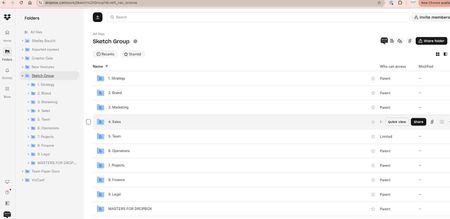
I recently upgraded from an ancient MacBook Air and had to re-link Dropbox with Finder.
There was a lot going on in the office ...
- 6 months ago
Hey Shelladmin, welcome to the Dropbox Community!
If I understand correctly, what's happened here is that you used our selective sync feature to only sync certain folders to your Dropbox folder.
No worries, though, it's an easy thing to amend; you'll need to go through the steps in this article and your folders should sync to your computer.
Let me know if that's not the case, or if you need anything else!

Shelladmin
6 months agoNew member | Level 2
SOLVED - it was the "selective sync" feature and everything is good again
(all I needed was the correct language!)
Thanks Hannah!!

Hannah Dropbox Community Moderator
6 months agoDropbox Community ModeratorSuper! I'm glad to see that helped, Shelladmin!
If you have any other questions, just give us a shout.
Have a great day!
About Create, Upload, and Share
Find help to solve issues with creating, uploading, and sharing files and folders with Dropbox.
The Dropbox Community team is active from Monday to Friday. We try to respond to you as soon as we can, usually within 2 hours.
If you need more help you can view your support options (expected response time for an email or ticket is 24 hours), or contact us on X, Facebook or Instagram.
For more info on available support options for your Dropbox plan, see this article.
If you found the answer to your question in this Community thread, please 'like' the post to say thanks and to let us know it was useful!


