Our Community is in read-only mode until April 8th, learn more here. You can still search existing threads or get help via Dropbox Support, the Dropbox Help Center, or Learn.
Forum Discussion

sargan
5 months agoExplorer | Level 4
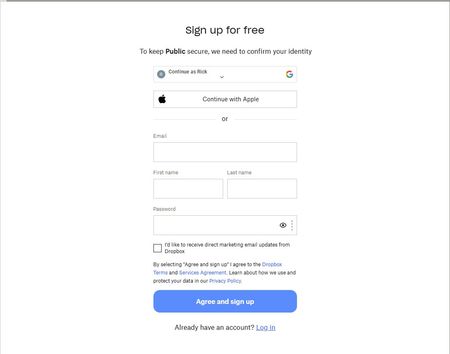
I shared a link with some other users, but it's forcing them to create a Dropbox account.
Scenario is simple ... I put some files in a folder .. then right click on folder to get a dropbox link ...
Here is one done today:
[link removed by moderator]
I send to user by email .... inst...

MrSuddenJoy
5 months agoHelpful | Level 6
This is exactly how it was designed. Fail to see anything out of standards here.

Mark Super User II
5 months agoSuper User IIMrSuddenJoy wrote:This is exactly how it was designed
It isnt. This is only if you are sharing edit access
 sargan5 months agoExplorer | Level 4
Could you advise what I change to make files shareable without an account. Recipients only need read/download access .
Also can I modify this or will it break the shared link
- Mark5 months ago
sargan wrote:
Could you advise what I change to make files shareable without an account. Recipients only need read/download access .
I am not sure you can. You can try and go to http://www.dropbox.com/links and click on the three dots next to the file. That will let you, possibly, alter settings to 'Can View'.
If not, however, you need to follow the links Rich already gave and send new ones without a log on requirement. Note they probably will still need to X out of a log on screen. You could also try editing the links to force a download.
- MrSuddenJoy5 months agoHelpful | Level 6
Just checked myself and you're right. I apologise for previous post.
- Megan5 months ago
Dropbox Community Moderator
Hey MrSuddenJoy!
No worries at all. If you need something else, please let me know and I will be more than happy to help every step of the way.

About Create, Upload, and Share
Find help to solve issues with creating, uploading, and sharing files and folders with Dropbox.
The Dropbox Community team is active from Monday to Friday. We try to respond to you as soon as we can, usually within 2 hours.
If you need more help you can view your support options (expected response time for an email or ticket is 24 hours), or contact us on X, Facebook or Instagram.
For more info on available support options for your Dropbox plan, see this article.
If you found the answer to your question in this Community thread, please 'like' the post to say thanks and to let us know it was useful!


