Your workflow is unique 👨💻 - tell us how you use Dropbox here.
Forum Discussion

mcfinney
6 years agoHelpful | Level 6
Time Left in sync has been removed from the Dropbox desktop app
The dropbox menu bar app has stopped showing the time left in the current sync in the bottom of the window. It shows a seemingly irrelevant progress bar but even hovering over that does not tell me t...
- 6 years ago
LuisA1 wrote:
Hi everyone,I’m a member of the Dropbox desktop application team.First off, I’d like to thank you all for your feedback on this.Earlier this year, we removed the time to sync estimate from the Dropbox menu and replaced it with a progress bar as we believed it would be a better measure of true progress of your files syncing, rather than the time to sync estimates.That said - we’ve heard you! We have decided to bring back the time to sync estimate in an upcoming build of the Dropbox desktop application!Once this build is released, you should automatically see the time to sync estimate again. We will also update you here as soon as the version with the time estimate is available.We truly appreciate all of your feedback, it’s very important to us to make Dropbox work for our users. Thank you!Hi all,
I've checked with the team and this has been released to the current stable version v73.
It is available now for download, but your devices should also automatically be updated to this version soon.
Thanks once again for your patience and feedback!


Walter Dropbox Community Moderator
6 years agoDropbox Community ModeratorSorry to hear you feel this way 21timothy.
This feature was actually re-enabled after we heard your feedback in this very same thread so could you please elaborate a tad on the matter that's troubling you?
On a side note, do you happen to be using a beta version of the desktop app?
I'm only asking because I just checked our latest stable version of the desktop app and the estimated time remaining to sync my changes was there when I hovered my mouse over the Dropbox icon within my computer's system tray.
If you're not seeing this, could you forward me a screenshot of the desktop app's exact status so I can have a visual too?
Thanks a bunch!

Robin Mary G.
6 years agoNew member | Level 2
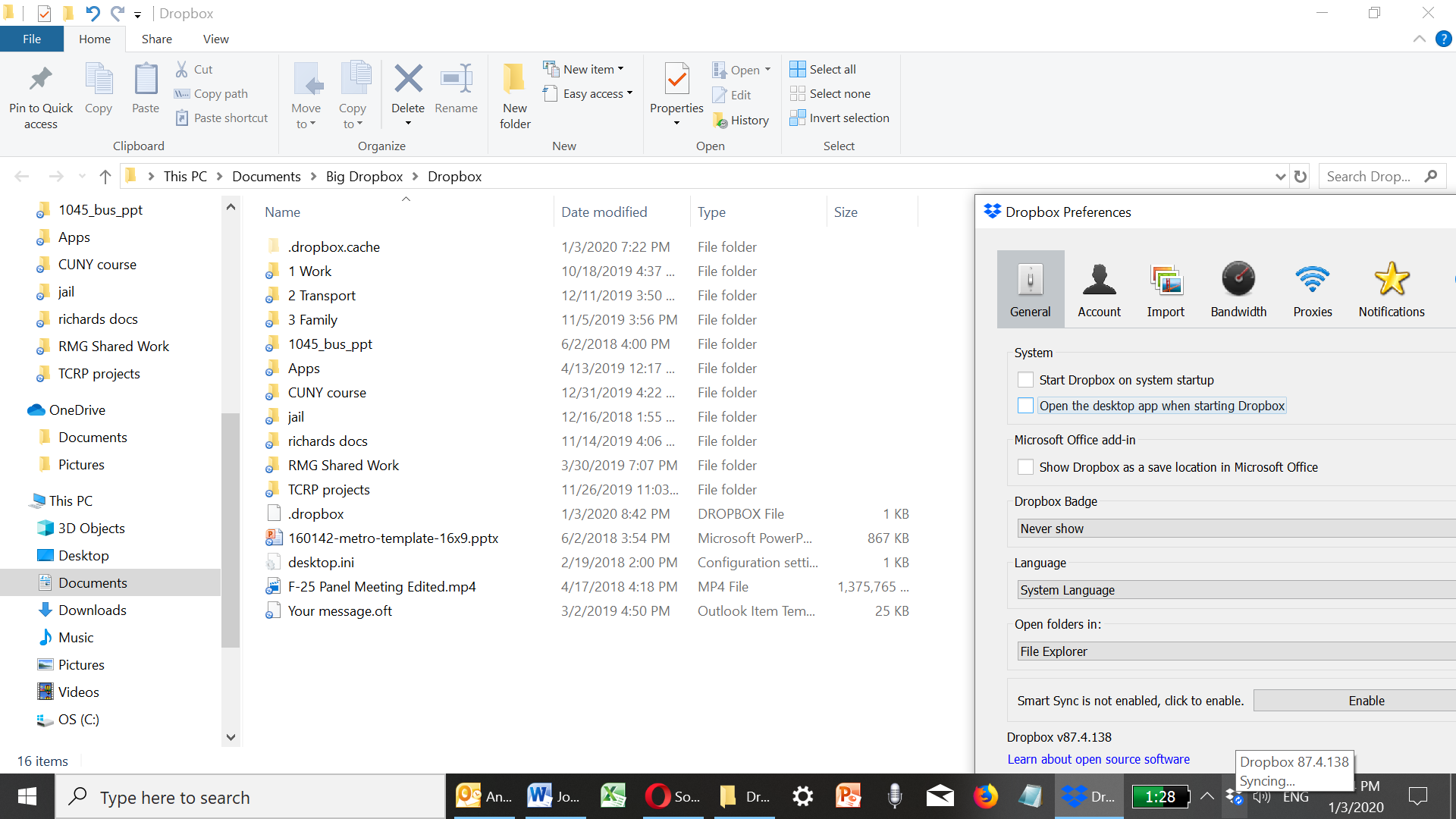
I have what seems to be a stable current version, and cannot see the time estimate to sync. Did it move?
- ElJayBronxNY6 years agoHelpful | Level 6
This feature was removed back in March 2019 and generated many pages of protests. Dropbox reinstated it (thank goodness); I was early in the threads complaining.
You'll never see it on the face of the app; it shows up if you hover your mouse over the Dropbox icon in the system tray if you're uploading something.
It's an educated guess on Dropbox's part. There's no way to 100% predict future network speeds etc. (even over the next hour or so), but it was always a good guideline to be able to let a client know when they might start to expect a file to be finished uploading. We missed it; we complained; it was re-instated.
Jay
[This thread is now closed by moderators due to inactivity and to avoid any possible confusion as this feature was re-instated in March of 2019. If you're experiencing a similar behavior or have a question, feel free to Ask for help from the Community here.]
About Create, Upload, and Share
Find help to solve issues with creating, uploading, and sharing files and folders with Dropbox.
The Dropbox Community team is active from Monday to Friday. We try to respond to you as soon as we can, usually within 2 hours.
If you need more help you can view your support options (expected response time for an email or ticket is 24 hours), or contact us on X, Facebook or Instagram.
For more info on available support options for your Dropbox plan, see this article.
If you found the answer to your question in this Community thread, please 'like' the post to say thanks and to let us know it was useful!


