Our Community is in read-only mode until April 8th, learn more here. You can still search existing threads or get help via Dropbox Support, the Dropbox Help Center, or Learn.
Forum Discussion

Andre F.3
2 years agoExplorer | Level 4
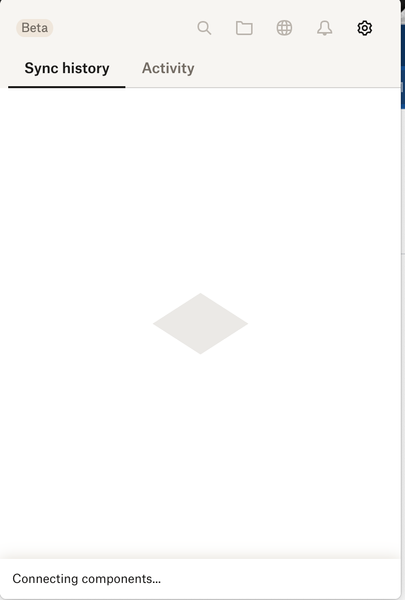
Dropbox app stuck on "Connecting components"
Everytime when dropbox starts the message "connecting components" and it took forever.

Sam DBX Community Manager
2 years agoCommunity ManagerHi all,
Sam from Dropbox Community here 🤚🏽
After discussing this with our team, could you please follow these steps?
1. Delete the current version of the app located in ~/Library/Application Support/Dropbox.
2. Update the app by downloading and installing the latest version from /Applications.
To locate the ~/Library/ folder (which is hidden by default in Finder):
1. Open a Finder window.
2. Select Go from the menu bar at the top of the screen
3. Hold down the Option key to reveal the Library folder option in the dropdown menu
For instructions on updating to the latest version of Dropbox: https://help.dropbox.com/installs/upgrade-latest-version
After the installation:
Confirm that there is no Dropbox.app in ~/Library/Application Support. We suggest doing the ''normal installation'' and checking that no other version appears in ~/Library/Application Support again.
Let us know if this resolves this issue.
Thank you.
Sam

baxl
2 years agoNew member | Level 2
Have the same issue. That's really annoying and frustrating, as Dropbox has corrupted all local files in the Dropbox folder 🤦♂️
It stucked at these "Components" message too.
I tried to upgrade it up to the 183.4.7058 version, but no luck. Now It trying to start, but eventually crashing.
Traceback is as follows:
Traceback (most recent call last):
File "desktop/dropbox/client/main.py", line 5504, in _setup_root_for_account
File "desktop/dropbox/sync_root/helpers.py", line 520, in get_root_for_account
File "desktop/dropbox/foundation/futures/basic.py", line 858, in result
File "desktop/dropbox/sync_root/handlers/macos/file_provider.py", line 232, in set_result_or_convert_exception
dropbox.mac.internal.MacError: [Errno -2001] Error Domain=NSFileProviderErrorDomain Code=-2001 "Эту программу сейчас нельзя использовать." UserInfo={NSLocalizedDescription=Эту программу сейчас нельзя использовать.}
UPD: Finally it is launched, but now I can see a ton of someone's foreign files and folders in my 30-days history! What the...
P.S. I think it's the time to drop the DropBox and shift towards the SyncThing and iCloud, as I had no such problems with them (especially when it comes to corrupting local files!).
About Apps and Installations
Have a question about a Dropbox app or installation? Reach out to the Dropbox Community and get solutions, help, and advice from members.
The Dropbox Community team is active from Monday to Friday. We try to respond to you as soon as we can, usually within 2 hours.
If you need more help you can view your support options (expected response time for an email or ticket is 24 hours), or contact us on X, Facebook or Instagram.
For more info on available support options for your Dropbox plan, see this article.
If you found the answer to your question in this Community thread, please 'like' the post to say thanks and to let us know it was useful!


