Our Community is in read-only mode until April 8th, learn more here. You can still search existing threads or get help via Dropbox Support, the Dropbox Help Center, or Learn.
Forum Discussion

plutogenie
1 year agoHelpful | Level 5
Dropbox not recognizing external drive or showing sync icons
Hi Everyone,
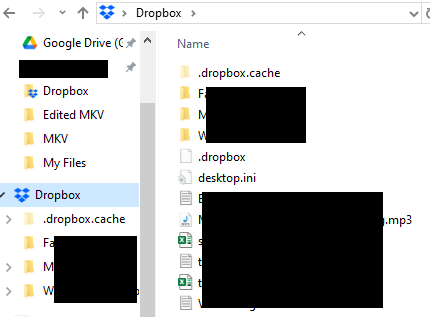
I signed up for a 30 day Dropbox Plus trial. I already had Dropbox Desktop App (version 207.4.5821) installed on my Win Acer Nitro laptop on the C: drive with a Dropbox folder sync...

plutogenie
1 year agoHelpful | Level 5
My further Googling suggests that the main Dropbox sync icons needed are Ext01-04. If it is true that the first 15 are used by Explorer, then it means those 4 icons should at least be showing up I would expect. If that is true, then it would appear that the limit of 15 does not explain the issue I am encountering because at least those 4 should be appearing.
Is my understanding correct? If so, does that mean reinstalling and double checking admin privileges would be necessary?
plutogenie
1 year agoHelpful | Level 5
I've now read some forums saying that 4 of the 15 are reserved for the OS, which means that only the first 11 are displayed effectively. For e.g. see Wikipedia
If that is correct, then it means that the answer in the link you provided is not 100% correct, and that only the first 11 are, in effect, used. If that is true, then the first 4 Dropbox icons would be ignored because they start at 12.
About Apps and Installations
Have a question about a Dropbox app or installation? Reach out to the Dropbox Community and get solutions, help, and advice from members.
The Dropbox Community team is active from Monday to Friday. We try to respond to you as soon as we can, usually within 2 hours.
If you need more help you can view your support options (expected response time for an email or ticket is 24 hours), or contact us on X, Facebook or Instagram.
For more info on available support options for your Dropbox plan, see this article.
If you found the answer to your question in this Community thread, please 'like' the post to say thanks and to let us know it was useful!


