Your workflow is unique 👨💻 - tell us how you use Dropbox here.
Forum Discussion

CapnBuck
4 years agoExplorer | Level 3
DROPBOX PASSWORDS WILL NOT GO BACK INTO SAFARI EXTENSIONS
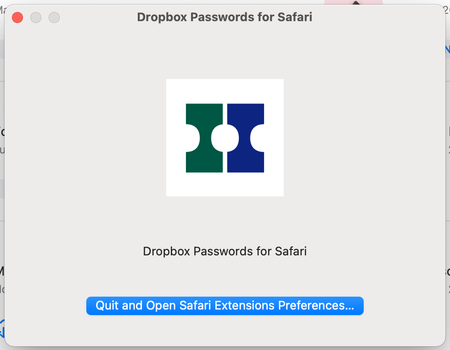
Dropbox Passwords disappeared from Safari extensions and will not go back in.
When attempting to put it back in I get the following:
When fo...


Jasper3
3 years agoExplorer | Level 3
I have the same issue. Have deleted and reinstalled app, restarted a zillion times and even done Mac OS Monterey repair in safe mode. All to no avail.
Help! I really need my passwords!

jkperona
3 years agoExplorer | Level 3
Below is what I received from Dropbox support to fix my issue in Safari.
Try the following:
- Open the Terminal app
- Paste the following command: /System/Library/Frameworks/CoreServices.framework/Frameworks/LaunchServices.framework/Support/lsregister -f -R /Applications/Safari.app
- Press Enter to run the command
- Restart Safari
About Apps and Installations
Have a question about a Dropbox app or installation? Reach out to the Dropbox Community and get solutions, help, and advice from members.
The Dropbox Community team is active from Monday to Friday. We try to respond to you as soon as we can, usually within 2 hours.
If you need more help you can view your support options (expected response time for an email or ticket is 24 hours), or contact us on X, Facebook or Instagram.
For more info on available support options for your Dropbox plan, see this article.
If you found the answer to your question in this Community thread, please 'like' the post to say thanks and to let us know it was useful!


