Your workflow is unique 👨💻 - tell us how you use Dropbox here.
Forum Discussion

frogtheme
2 years agoExplorer | Level 4
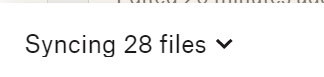
Dropbox syncing 28 files forever
Dropbox is syncing 28 files forever.
How do I know wich files are these?
How can I solve this problem?

Megan Dropbox Community Moderator
2 years agoDropbox Community ModeratorHi there frogtheme, sorry to hear about this.
Could you let us know how long has the desktop app been stuck at syncing?
If you could also send us a screenshot of the app's exact status and version as shown in your menu bar, I'd appreciate it. While we're at it, have you rebooted your computer at all lately?
Does that number appear to change or does it remain the same? Are there any sync issues showing in the the options under the avatar on the top right?
Keep me posted!
 frogtheme2 years agoExplorer | Level 4
It's stuck for days now. Other files seems to be syncing, just a little slower than usual.
I've rebooted the bomputer sereval times.
I tried installing dropbox again and deleted the dropbox cache folder.
The number only changes when there is other things syncing. But these 28 remains there a never sync.
There is no sync issues, the sync issues I had before I solved by renaming the files.
- EvanDBX2 years ago
Hi frogtheme, thanks for the reply!
Can you tell me approximately how many files are syncing locally on your computer? To check this, you can right click on your Dropbox folder and then click properties. That should bring up the overall number of files.
Additionally, are there any other apps currently running in the background that might interfere with Dropbox? Such as an antivirus for example.
Can you also try closing any other apps temporarily and see if anything changes alongside restarting your router?
Keep me updated!
- frogtheme2 years agoExplorer | Level 4
I tried closing other apps, but the problem persists.
I already restart my router everyday.

About Apps and Installations
Have a question about a Dropbox app or installation? Reach out to the Dropbox Community and get solutions, help, and advice from members.
The Dropbox Community team is active from Monday to Friday. We try to respond to you as soon as we can, usually within 2 hours.
If you need more help you can view your support options (expected response time for an email or ticket is 24 hours), or contact us on X, Facebook or Instagram.
For more info on available support options for your Dropbox plan, see this article.
If you found the answer to your question in this Community thread, please 'like' the post to say thanks and to let us know it was useful!


