Our Community is in read-only mode until April 8th, learn more here. You can still search existing threads or get help via Dropbox Support, the Dropbox Help Center, or Learn.
Forum Discussion

DBPics158
2 months agoNew member | Level 2
File Provider version disconnected and now I'm not eligible for that version
Application Affected Dropbox Desktop App Device Mac Studio Operating System/Browser (if using the web) macOS 15.3 Dropbox App Version (if using the app) 239.4.8301
Question or Issue I was f...
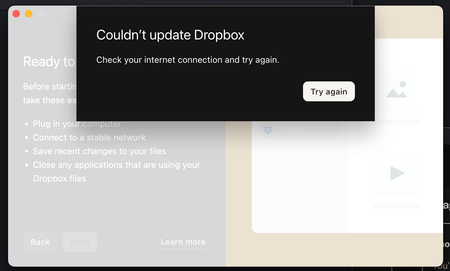
- 2 months ago
UPDATE: I just unsynced around 160,000 files from my hard drive, came back 10 minutes later and now it's saying I'm eligible. Just did the upgrade and now it's working again.
Solution? Don't sync more than 100K files on your hard drive.
DBPics158
2 months agoNew member | Level 2
UPDATE: I just unsynced around 160,000 files from my hard drive, came back 10 minutes later and now it's saying I'm eligible. Just did the upgrade and now it's working again.
Solution? Don't sync more than 100K files on your hard drive.
- Hannah2 months ago
Dropbox Community Moderator
Hi there, DBPics158, thanks for this post and for keeping us in the loop about the outcome.
Truth is that at roughly 300K files, you might see some issues with the app in general, so having your local file count under 300K is great practice.
I'm glad to see that you managed to resolve your issue though, and if you need anything else, please let us know.
Cheers!
 dandid1 month agoHelpful | Level 7
how can we see how many files we have? I want to change to external as I currently can't get enough files with downloaded access to get my work done easily. I am currently eligeble but if then trygin to synch all the files I want to use makes me ineligeble its going to be no use and i'll just look for alternatives.
- Jay1 month ago
HI dandid, the best method to determine how many files you have on your account is to have them sync as online-only onto your computer.
Once that is complete, you can then use the Get info prompt on the Dropbox folder to count the number of files for you.
Currently, there isn't a method to count the number of files from the Dropbox site directly.
- Theresa1 month ago
Community Manager
Hi there DBPics158 , and welcome to the Dropbox Community! 😊
I’m Theresa 👩💻, one of the community managers here at Dropbox HQ. It’s great to have you here, and I am glad to see your issue has been resolved.
Thanks so much for coming back to update the thread - it really helps others who might run into the same behavior or see similar messages.
I’d love to know... what’s your favourite Dropbox feature? Whether it’s file sharing, Smart Sync, mobile access, or something else entirely, I always enjoy hearing what people find most useful.
Looking forward to hearing more,
T 😺 (Dropbox Community Manager)


About Apps and Installations
Have a question about a Dropbox app or installation? Reach out to the Dropbox Community and get solutions, help, and advice from members.
The Dropbox Community team is active from Monday to Friday. We try to respond to you as soon as we can, usually within 2 hours.
If you need more help you can view your support options (expected response time for an email or ticket is 24 hours), or contact us on X, Facebook or Instagram.
For more info on available support options for your Dropbox plan, see this article.
If you found the answer to your question in this Community thread, please 'like' the post to say thanks and to let us know it was useful!


