Our Community is in read-only mode until April 8th, learn more here. You can still search existing threads or get help via Dropbox Support, the Dropbox Help Center, or Learn.
Forum Discussion

Shortfuse01
5 months agoNew member | Level 2
I need my files to sync locally on my device, and not online-only. How can I change the cloud icon?
I spent three days downloading my folders and files onto my new computer, MiniMac. Then after all was done the folders and files are showing they are online only. I have read for two hours all the po...

Megan Dropbox Community Moderator
5 months agoDropbox Community ModeratorHey Shortfuse01, let's jump right into this!
I'm going to answer your Dropbox folder location question first.
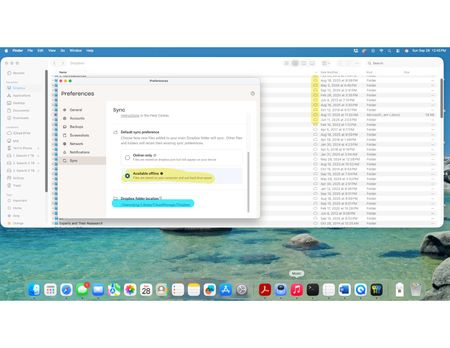
When using Dropbox for macOS on File Provider, you cannot change the location of your Dropbox folder. The folder is automatically moved to a default location in your user home directory at ~/Library/CloudStorage.
As for the cloud icons, can you access one of these folders and let me know what type of icons -if any- you see next to your files?
Lastly, could you let me know the exact OS version of your computer and the version and syncing status of the Dropbox desktop app as shown in your menu bar at the moment?
If you have any screenshots, they're more than welcome!
Keep me posted!
About Apps and Installations
Have a question about a Dropbox app or installation? Reach out to the Dropbox Community and get solutions, help, and advice from members.
The Dropbox Community team is active from Monday to Friday. We try to respond to you as soon as we can, usually within 2 hours.
If you need more help you can view your support options (expected response time for an email or ticket is 24 hours), or contact us on X, Facebook or Instagram.
For more info on available support options for your Dropbox plan, see this article.
If you found the answer to your question in this Community thread, please 'like' the post to say thanks and to let us know it was useful!


