Our Community is in read-only mode until April 8th, learn more here. You can still search existing threads or get help via Dropbox Support, the Dropbox Help Center, or Learn.
Forum Discussion

svedel77
1 year agoExplorer | Level 4
Searching for files in Finder in the Dropbox folder isn't working on Mac OS
Hi everyone.
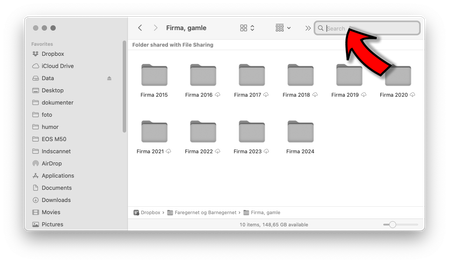
Im using macOS Sequoia 15.3.2. When I'm in a Finder windows, in my dropbox folder – the filesearch don't work. The search doesn't find any results.
If I'm in a regular folder on my...

svedel77
11 months agoExplorer | Level 4
No, unfortunately it didn't help. I have a suspicion, that it have something to do with permissions. Of some sort.
- Søren

Walter Dropbox Community Moderator
11 months agoDropbox Community ModeratorIf you installed it with admin privileges in the first place, you shouldn't have an issue with this svedel77
Have you tried re-building your Spotlight index since you first noticed this?
 harry632 months agoExplorer | Level 3
Was this ever solved? I'm having the same problem and I have tried all of the suggestions above. I am on MacOS 15.7.2.
- Megan2 months ago
Hey harry63, let's jump right into this!
Could you send us a screenshot of what it looks like on your end?
While we're at it, could you also clarify the app's current version and syncing status? You can find the version, and syncing status by hovering your mouse over the little Dropbox icon in your menu bar next to your WiFi.
Also, when you quit the Dropbox desktop application and try searching for the files again in Finder, do you get the same results?
Keep me posted, and we'll take it from there!
- harry632 months agoExplorer | Level 3
I have attached the screenshot. I created a file called AAA_Dropbox Test.rtf for this. I did quit the desktop application and try searching and ran into the same problem.
Dropbox Version 238.4.6305
Syncing Status: Up to Date

About Apps and Installations
Have a question about a Dropbox app or installation? Reach out to the Dropbox Community and get solutions, help, and advice from members.
The Dropbox Community team is active from Monday to Friday. We try to respond to you as soon as we can, usually within 2 hours.
If you need more help you can view your support options (expected response time for an email or ticket is 24 hours), or contact us on X, Facebook or Instagram.
For more info on available support options for your Dropbox plan, see this article.
If you found the answer to your question in this Community thread, please 'like' the post to say thanks and to let us know it was useful!


