Our Community is in read-only mode until April 8th, learn more here. You can still search existing threads or get help via Dropbox Support, the Dropbox Help Center, or Learn.
Forum Discussion

dvanschrick
1 year agoNew member | Level 1
Support for Windows Server 2025
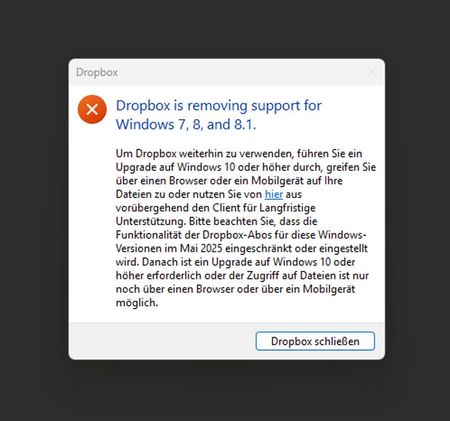
Hi there, I get this error today and Dropbox stopped working. OS is Windows Server 2025 Standard as a Terminalserver!!!!!! What's that **bleep**???????? We are on 100% productive and production S...
 1 year ago
Hi dvanschrick
After further investigation, you should be able to restore Dropbox functionality by opting out of early (beta) releases. You can follow the instructions here to do so.
While Dropbox does not support Windows Server OS, this error message should not populate for Windows Server 2025, and it forces the app to quit. Reverting to the stable build should fix this as the banner message does not appear on the stable build.
Our engineers are now aware of this and are working to ensure this is fixed in future releases.
Ben

About Apps and Installations
Have a question about a Dropbox app or installation? Reach out to the Dropbox Community and get solutions, help, and advice from members.
The Dropbox Community team is active from Monday to Friday. We try to respond to you as soon as we can, usually within 2 hours.
If you need more help you can view your support options (expected response time for an email or ticket is 24 hours), or contact us on X, Facebook or Instagram.
For more info on available support options for your Dropbox plan, see this article.
If you found the answer to your question in this Community thread, please 'like' the post to say thanks and to let us know it was useful!


