Your workflow is unique 👨💻 - tell us how you use Dropbox here.
Forum Discussion

Relaxalot
2 years agoExplorer | Level 4
The Dropbox App on my MAC (MacOs 11.7.3) won't start
I've tried deleting and re downloading but it just sits there showing status as "starting". I've checked and corrected permissions.

Hannah Dropbox Community Moderator
2 years agoDropbox Community ModeratorHey Relaxalot, thanks for bringing this to our attention.
Are you also getting a "couldn't start Dropbox" error pop-up on your screen when you try to open Dropbox?
Have you received a notification to update your Dropbox to the new Dropbox for macOS version?
If not, which version of the app are you using? You can hover over your Dropbox icon for this info.
Thanks in advance for your reply!
 Relaxalot2 years agoExplorer | Level 4
Hi Hannah,
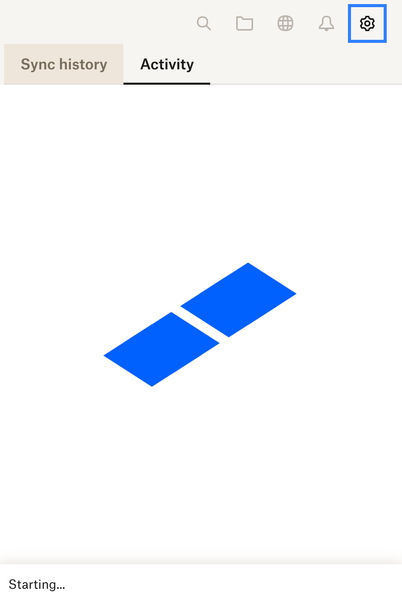
I don't get a "couldn't start Dropbox" error pop up. If I click on the Dropbox icon in the top menu bar it just shows the screen that I pasted. The blue boxes move as if it is loading but it never gets past the "start" state.
If I hover over the Dropbox icon is just shows "Dropbox 170.4.5895 and Starting.....".
Hope this gives you some clues.
- Jay2 years ago
Hi Relaxalot, do you have any proxy, VPN, firewall, security software, or even ISP/router settings that could be restricting traffic to the following Dropbox domains?
- Relaxalot2 years agoExplorer | Level 4
Hi Jay,
None of those.
I only discovered it wasn’t loading when I noticed that Dropbox.com was out of sync with my Dropbox folder in Finder (which otherwise appears normal) and went looking for a sync issue.
Looking at the date of the last correctly synched file, I believe that it probably must have gone awry when I last upgraded MacOS.
However, I’ve tried reloading Dropbox and updating permissions.

About Apps and Installations
Have a question about a Dropbox app or installation? Reach out to the Dropbox Community and get solutions, help, and advice from members.
The Dropbox Community team is active from Monday to Friday. We try to respond to you as soon as we can, usually within 2 hours.
If you need more help you can view your support options (expected response time for an email or ticket is 24 hours), or contact us on X, Facebook or Instagram.
For more info on available support options for your Dropbox plan, see this article.
If you found the answer to your question in this Community thread, please 'like' the post to say thanks and to let us know it was useful!


