Our Community is in read-only mode until April 8th, learn more here. You can still search existing threads or get help via Dropbox Support, the Dropbox Help Center, or Learn.
Forum Discussion

danielvega1984
2 months agoExplorer | Level 3
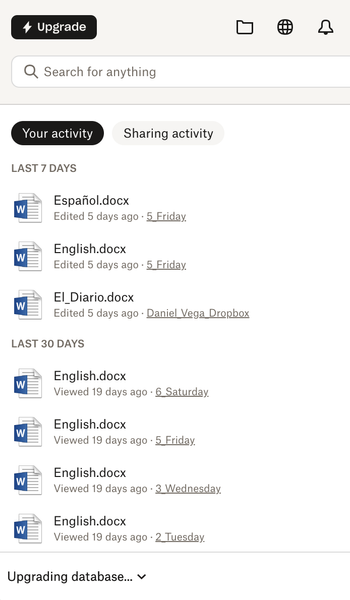
The Dropbox desktop app is stuck at "Upgrading Database" on MacOS
Application Affected Dropbox App Device Macbook Pro Operating System/Browser (if using the web) macOS Tahoe 26.2 Dropbox App Version (if using the app) Question or Issue For several day...
- 2 months ago
Hey danielvega1984!
You'll basically need to follow these steps:
-Sign out of the Dropbox desktop app.
-After that uninstall the app.
-Locate your existing Dropbox folder locally and rename it to something like "Dropbox.old".
-Reinstall the Dropbox app.
-Then sign into the application again, in order to create a brand new instance of the Dropbox folder.Please let me know about the results once you follow these steps.

Megan Dropbox Community Moderator
2 months agoDropbox Community ModeratorHey danielvega1984!
You'll basically need to follow these steps:
-Sign out of the Dropbox desktop app.
-After that uninstall the app.
-Locate your existing Dropbox folder locally and rename it to something like "Dropbox.old".
-Reinstall the Dropbox app.
-Then sign into the application again, in order to create a brand new instance of the Dropbox folder.
Please let me know about the results once you follow these steps.

danielvega1984
2 months agoExplorer | Level 3
Yes, that worked. Thank you very much.
Should I delete my Dropbox.old folder?
- Megan2 months ago
Hey danielvega1984!
Happy to see that your issue is now resolved!
If you made sure that there are no useful files there, feel free to delete it.
If you need something else, please let me know and I will be more than happy to help every step of the way. 🙃
 Jonesthesteam13425 days agoNew member | Level 2
Hi Megan
I wonder if you can help me.
I updated my Mac OS to Sequoia 15.7.4 and now my Dropbox app will not open at all. If i quit from the desktop, then try to sign in it tells me 'unable to connect to Dropbox'.
I have turned off my Firewall and enabled Dropbox in the Full disc access tab.
I do not know how to uninstall, as ive tried the ways you advised to the other user and it seems impossible.
I am stuck, can you help please.
- Megan25 days ago
Hi there, Jonesthesteam134, I'd love to try and help you!
When did you first notice this issue? Also, it might sound trivial but have you tried restarting your modem/ internet router by any chance?
In addition to that, can you let me know more, in regards to the app's current version, and syncing status? You can find this by hovering your mouse over the little Dropbox icon in your menu bar, next to your WiFi.
As for uninstalling the Dropbox desktop application you can use the steps mentioned here, and then download and reinstall the app using this link.
Keep me posted!
About Apps and Installations
Have a question about a Dropbox app or installation? Reach out to the Dropbox Community and get solutions, help, and advice from members.
The Dropbox Community team is active from Monday to Friday. We try to respond to you as soon as we can, usually within 2 hours.
If you need more help you can view your support options (expected response time for an email or ticket is 24 hours), or contact us on X, Facebook or Instagram.
For more info on available support options for your Dropbox plan, see this article.
If you found the answer to your question in this Community thread, please 'like' the post to say thanks and to let us know it was useful!


