We’re Still Here to Help (Even Over the Holidays!) - find out more here.
Forum Discussion

Dave111
12 months agoExplorer | Level 4
The mobile app isn't uploading or indexing photos in the background.
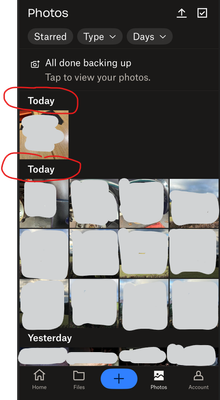
Hi ... I've noticed that the DropBox IOS Mobile App isn't uploading or indexing photos in the background. To be perfectly honest the App isn't doing anything at all whilst minimised.
The screen sho...

Hannah Dropbox Community Moderator
12 months agoDropbox Community ModeratorHey Dave111, thanks for your reply and happy new year!
When the Dropbox app is open in the foreground, do your photos/videos upload as expected?
When it's in the background, do you see any difference when connected to WiFi vs. mobile data?

Dave111
12 months agoExplorer | Level 4
Hi Hannah ... Happy New Year to you and your team!
When the Dropbox app is open in the foreground, do your photos/videos upload as expected?
Yes .... the app works perfectly.
When it's in the background, do you see any difference when connected to WiFi vs. mobile data?
No ... I have a very stable Wifi or 4/5G connections, also it makes no difference if the iPhone is plugged into mains, on battery or leaving it alone minutes / over night the app just doesn't update in the background. ... As previously mentioned other competitor apps are working as expected.
- Jay12 months ago
Hi Dave111, thanks for the info. In order to look into this matter in more detail, I'd recommend contacting the support team directly for them to investigate further.

About Apps and Installations
Have a question about a Dropbox app or installation? Reach out to the Dropbox Community and get solutions, help, and advice from members.
The Dropbox Community team is active from Monday to Friday. We try to respond to you as soon as we can, usually within 2 hours.
If you need more help you can view your support options (expected response time for an email or ticket is 24 hours), or contact us on X, Facebook or Instagram.
For more info on available support options for your Dropbox plan, see this article.
If you found the answer to your question in this Community thread, please 'like' the post to say thanks and to let us know it was useful!


