Your workflow is unique 👨💻 - tell us how you use Dropbox here.
Forum Discussion

dim2333
1 month agoExplorer | Level 3
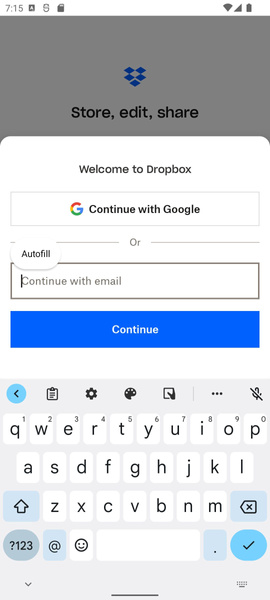
The sign up screen loses focus and the keyboard closes when changing to landscape mode on Android.
Application Affected Dropbox: Secure Cloud Storage
Device Pixel 6
Operating System Android 12L
Dropbox App Version 454.2.2
Question or Issue
Issue Description: When typing in the email fi...

Walter Dropbox Community Moderator
1 month agoDropbox Community ModeratorHey dim2333 - thanks for bringing this to our attention.
Can you please clarify if this persists after restarting your device and/or after reinstalling the Dropbox mobile app?
Thank you.

dim2333
1 month agoExplorer | Level 3
Thank you for your response.
I can confirm that the issue persists even after restarting my device and reinstalling the Dropbox app.
- Nancy1 month ago
Hi from me too, dim2333! Are you experiencing a similar behavior, if you open another app on your mobile device and try to type something, after switching to landscape mode?
- dim23331 month agoExplorer | Level 3
Hi Nancy,
Just to clarify a bit more:
I don’t see this behavior in most well-designed apps (for example, the system File Manager and several mainstream apps handle rotation correctly and keep the input focus and keyboard open). Please see my previous reply for details: https://www.dropboxforum.com/discussions/101001016/the-sign-up-screen-loses-focus-and-the-keyboard-closes-when-changing-to-landscap/855111/replies/855227
However, I have noticed similar behavior in a few other apps that also seem to lose focus on orientation change, so this appears to be related to how the app handles configuration changes rather than an Android system issue.
From a user perspective, it feels like a UI state / focus handling issue on the sign-up screen.
Hope this helps with the investigation.


About Apps and Installations
Have a question about a Dropbox app or installation? Reach out to the Dropbox Community and get solutions, help, and advice from members.
The Dropbox Community team is active from Monday to Friday. We try to respond to you as soon as we can, usually within 2 hours.
If you need more help you can view your support options (expected response time for an email or ticket is 24 hours), or contact us on X, Facebook or Instagram.
For more info on available support options for your Dropbox plan, see this article.
If you found the answer to your question in this Community thread, please 'like' the post to say thanks and to let us know it was useful!


