Our Community is in read-only mode until April 8th, learn more here. You can still search existing threads or get help via Dropbox Support, the Dropbox Help Center, or Learn.
Forum Discussion

jonbjoseph
1 year agoHelpful | Level 5
Unable to install the desktop app on Fedora 41.
I need to install the Desktop App for Selective Sync.
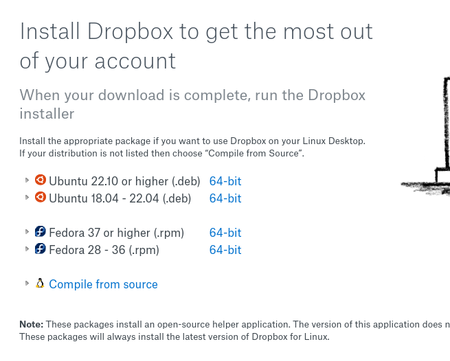
I've downloaded the Fedora rpm and installed it. I installs a filemanager. When I click on the 'open dropbox app' the screen blinks and is red...
- 1 year ago
Hi jonbjoseph, thanks for the info. Are you able to use the Linux commands to exclude the folders you don't need from your Dropbox folder?


jonbjoseph
1 year agoHelpful | Level 5
I'm Glad to help. (You seem to be more technical than you give yourself credit for).
Selective Sync capability is a must for most dropbox users. On my Mac, Dropbox also provides 'on-line' capability for files, which is an additional option for saving on disk-space.
FYI, I'm running Fedora 41 in a VM on VirtualBox on a Windows 11 host. I find that I spend most of my time on the Fedora 41 VM. Unfortunately, I do need Windows 11 for at least one legacy app.
Take care.
Glad the Selective Sync is working for you!
Peace of Wine
1 year agoHelpful | Level 5
I’m more technical but with Windows not Linux. I need to dust off my ms-dos commands! 😉 You too and once again thank you for your help.
About Apps and Installations
Have a question about a Dropbox app or installation? Reach out to the Dropbox Community and get solutions, help, and advice from members.
The Dropbox Community team is active from Monday to Friday. We try to respond to you as soon as we can, usually within 2 hours.
If you need more help you can view your support options (expected response time for an email or ticket is 24 hours), or contact us on X, Facebook or Instagram.
For more info on available support options for your Dropbox plan, see this article.
If you found the answer to your question in this Community thread, please 'like' the post to say thanks and to let us know it was useful!


