Our Community is in read-only mode until April 8th, learn more here. You can still search existing threads or get help via Dropbox Support, the Dropbox Help Center, or Learn.
Forum Discussion

jonbjoseph
1 year agoHelpful | Level 5
Unable to install the desktop app on Fedora 41.
I need to install the Desktop App for Selective Sync.
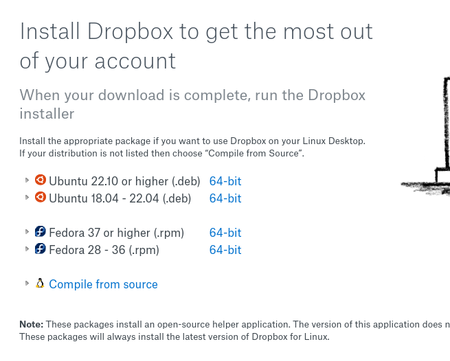
I've downloaded the Fedora rpm and installed it. I installs a filemanager. When I click on the 'open dropbox app' the screen blinks and is red...
- 1 year ago
Hi jonbjoseph, thanks for the info. Are you able to use the Linux commands to exclude the folders you don't need from your Dropbox folder?


Peace of Wine
1 year agoHelpful | Level 5
Hi Guys, Dropbox support found out what was the problem. After installing dropbox you need to install the extension AppIndicator and KStatusNotifierItem Support. This will give support to the legacy icons and the dropbox menu and preferences will show up. You just need to double click on the icon in you right superior corner. You don't need to use the commands on the terminal. I hope it helps.
jonbjoseph
1 year agoHelpful | Level 5
Today, I ran the following commands to install what hoped you were the ' extension AppIndicator and KStatusNotifierItem Support '. But I'm not seeing anything related to Dropbox in the upper right hand corners (just seeing power, networking, sound control icons).
dnf install gnome-shell-extension-appindicator
dnf install gnome-shell-extension-status-icons
Can you provide me with the 'dnf install' commands you used? Thanks!
About Apps and Installations
Have a question about a Dropbox app or installation? Reach out to the Dropbox Community and get solutions, help, and advice from members.
The Dropbox Community team is active from Monday to Friday. We try to respond to you as soon as we can, usually within 2 hours.
If you need more help you can view your support options (expected response time for an email or ticket is 24 hours), or contact us on X, Facebook or Instagram.
For more info on available support options for your Dropbox plan, see this article.
If you found the answer to your question in this Community thread, please 'like' the post to say thanks and to let us know it was useful!


