Our Community is in read-only mode until April 8th, learn more here. You can still search existing threads or get help via Dropbox Support, the Dropbox Help Center, or Learn.
Forum Discussion

requiredname
5 months agoNew member | Level 2
Unable to uninstall the desktop app on Windows 11
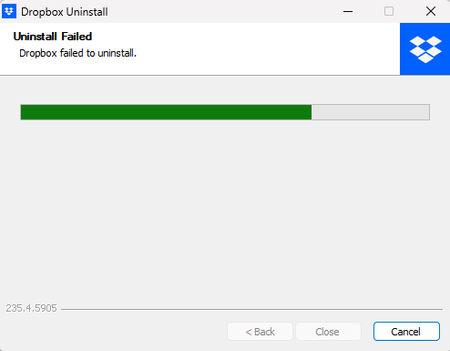
Application Affected Dropbox Windows 11 Operating System/Browser (if using the web) (Windows 11) Dropbox App Version (if using the app) (235.4.5905, assuming the installed apps screen is correct...

Hannah Dropbox Community Moderator
5 months agoDropbox Community ModeratorHey requiredname, thanks for bringing this to our attention.
This can definitely be very frustrating, so let's see what we can find out.
I understand the initial issue is that you can't open the Dropbox app; can you let me know more about that? Are you getting any error messages?
Also, regarding uninstalling the app, you mentioned that you even tried our advanced reinstall steps, but were not able to delete the client folder within %PROGRAMFILES(x86)%, as it was in use.
Since that's the case, what do you see when you go to your "Task manager"? If you go to "Processes" do you see any Dropbox items there to delete?
Let me know what you find and we'll go from there!
 requiredname5 months agoNew member | Level 2
No, an error message would be helpful! lol. It just fails to launch entirely. I click and nothing happens.
Nothing in processes, I closed those first. Double checked when I saw that message and there was nothing running.
- Hannah5 months ago
Thanks for the update, requiredname.
To investigate this a bit further, I just sent you an email, so we'll continue there.
Cheers!
About Apps and Installations
Have a question about a Dropbox app or installation? Reach out to the Dropbox Community and get solutions, help, and advice from members.
The Dropbox Community team is active from Monday to Friday. We try to respond to you as soon as we can, usually within 2 hours.
If you need more help you can view your support options (expected response time for an email or ticket is 24 hours), or contact us on X, Facebook or Instagram.
For more info on available support options for your Dropbox plan, see this article.
If you found the answer to your question in this Community thread, please 'like' the post to say thanks and to let us know it was useful!


