Our Community is in read-only mode until April 8th, learn more here. You can still search existing threads or get help via Dropbox Support, the Dropbox Help Center, or Learn.
Forum Discussion

Jled81
1 year agoExplorer | Level 3
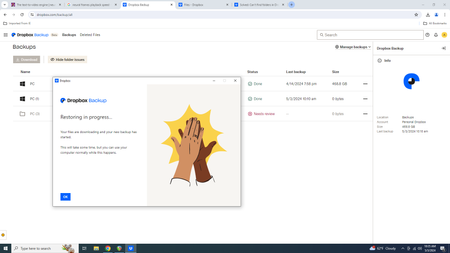
Restoring my computer from a Dropbox Backup is slow
Hard drive crashed, attempting to restore to new one
Nothing seems to be happening

Mark Super User II
1 year agoSuper User IIHow long have you given it?
What does it say if you mouse over the Dropbox icon?

Jled81
1 year agoExplorer | Level 3
It's been over an hour
It says up to date
- Jay1 year ago
Dropbox Community Moderator
Hi Jled81, thanks for messaging the Community!
Restoring from a computer backup can take time depending on the number of files in the backup.
I'd recommend giving some more time for the backup to continue.
Keep me posted!
- Jled811 year agoExplorer | Level 3
Let it run overnight. Didn't do anything. Today I was able to download 2 folders manually. The next 2 that I need I get the message "Attempted to zip too many files"
- Jled811 year agoExplorer | Level 3
Today I was able to download 2 folders manually. The next 2 that I need I get the message "Attempted to zip too many files"


About Integrations
Get help with third-party integrations from the Dropbox Community.
The Dropbox Community team is active from Monday to Friday. We try to respond to you as soon as we can, usually within 2 hours.
If you need more help you can view your support options (expected response time for an email or ticket is 24 hours), or contact us on X, Facebook or Instagram.
For more info on available support options for your Dropbox plan, see this article.
If you found the answer to your question in this Community thread, please 'like' the post to say thanks and to let us know it was useful!


