We're making some changes to the Dropbox Community 👩💻 - Find out more here.
Forum Discussion

AGallo
4 years agoHelpful | Level 5
Unable to add comments to Google Docs
While working on Google Doc files that I created within Dropbox, I am unable to successfully utilize the "add comments" feature. I am able to insert a comment and type information into the comment bo...
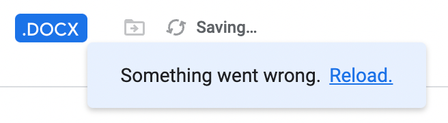
- 4 years ago
Hello everyone,
Thank you for your patience. We are happy to say that this issue appears to have been resolved. If you have any other issues, please feel free to reach out to our support team, or open a new thread in the community.


Ranman
4 years agoExplorer | Level 4
We've been looking to consolidate our applications therefore this integration seemed like a perfect way to eliminate having to juggle assets between two places.
Unfortunately, we ran into the same exact issue. Seems like a completely pointless integration without one of the most important functions of Google Docs.
And God forbid you to reach out to their support team about it. I've had more intellectual conversations with rocks!!!

Megan Dropbox Community Moderator
4 years agoDropbox Community ModeratorHey all, happy Wednesday!
Can you just confirm for me that the email address associated with your Dropbox account is the same as the email address used for your Google account?
- Ranman4 years agoExplorer | Level 4
Hi Megan. Yes I am using the same email address for both. In fact, you cannot even create a Google Doc in Dropbox unless the emails are the same.
 AGallo4 years agoHelpful | Level 5
Hi Megan,
Yes, the email address associated with your Dropbox account is the same as the email address used for your Google account.
Additional update: this same issue is now occurring with other files. Initially, it seemed to be isolated to Google Doc files that I created within a certain folder. However, now this issue is affecting other Google Docs that I created within Dropbox.
 logodsz4 years agoNew member | Level 2
Just went through the same issue right now.
About Integrations
Get help with third-party integrations from the Dropbox Community.
The Dropbox Community team is active from Monday to Friday. We try to respond to you as soon as we can, usually within 2 hours.
If you need more help you can view your support options (expected response time for an email or ticket is 24 hours), or contact us on X, Facebook or Instagram.
For more info on available support options for your Dropbox plan, see this article.
If you found the answer to your question in this Community thread, please 'like' the post to say thanks and to let us know it was useful!


