Our Community is in read-only mode until April 8th, learn more here. You can still search existing threads or get help via Dropbox Support, the Dropbox Help Center, or Learn.
Forum Discussion

nvetterli
8 months agoExplorer | Level 3
Disable email notifications about downloads and expiration of existing Transfers
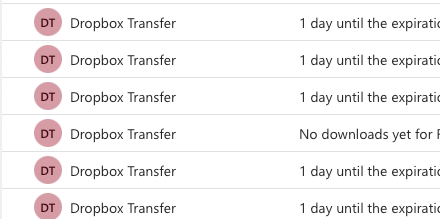
Every morning I wake up to a ton of emails about old files I've sent to clients 6 months ago using Dropbox Transfer. I wish there was some way of disabling it because I don't need to know anything ab...

Hannah Dropbox Community Moderator
8 months agoDropbox Community ModeratorHey nvetterli, thanks for sharing your feedback about this.
Have you tried unsubscribing to those emails?
You should be able to click on the "Unsubscribe" option at the bottom of the emails you receive, to unsubscribe from that type of notification.
Let me know how it goes.

nvetterli
8 months agoExplorer | Level 3
You can't unsubscribe to these emails. See screenshot.
But you can click "Turn off these notifications"
When you do that, you reach this site and there's nothing there that allows to turn off the notification emails. See screenshot.
Now if I go to "Notifications" under Dropbox Settings this is all I can enable and disable
So maybe I'm missing something or maybe you can't disable it
About Settings and Preferences
The Dropbox Community is here to help if you have questions about your account settings and preferences. Learn and share advice with members.
The Dropbox Community team is active from Monday to Friday. We try to respond to you as soon as we can, usually within 2 hours.
If you need more help you can view your support options (expected response time for an email or ticket is 24 hours), or contact us on X, Facebook or Instagram.
For more info on available support options for your Dropbox plan, see this article.
If you found the answer to your question in this Community thread, please 'like' the post to say thanks and to let us know it was useful!


