Our Community is in read-only mode until April 8th, learn more here. You can still search existing threads or get help via Dropbox Support, the Dropbox Help Center, or Learn.
Forum Discussion

nvetterli
8 months agoExplorer | Level 3
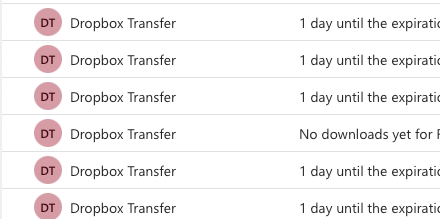
Disable email notifications about downloads and expiration of existing Transfers
Every morning I wake up to a ton of emails about old files I've sent to clients 6 months ago using Dropbox Transfer. I wish there was some way of disabling it because I don't need to know anything ab...


Hannah Dropbox Community Moderator
8 months agoDropbox Community ModeratorThanks for the update here, nvetterli, and happy Monday!
The notification you can manage for your transfers is the download notifications, which you can turn off/on from the option with the toggle that shows in your screenshot above.
A workaround would also be to delete your transfer.
I would also suggest going to our Ideas page and submitting an idea about this. Just make sure you check out Emma's tips for submitting an idea first.
Thanks!
About Settings and Preferences
The Dropbox Community is here to help if you have questions about your account settings and preferences. Learn and share advice with members.
The Dropbox Community team is active from Monday to Friday. We try to respond to you as soon as we can, usually within 2 hours.
If you need more help you can view your support options (expected response time for an email or ticket is 24 hours), or contact us on X, Facebook or Instagram.
For more info on available support options for your Dropbox plan, see this article.
If you found the answer to your question in this Community thread, please 'like' the post to say thanks and to let us know it was useful!


