Our Community is in read-only mode until April 8th, learn more here. You can still search existing threads or get help via Dropbox Support, the Dropbox Help Center, or Learn.
Forum Discussion

Cheryl1f
3 months agoNew member | Level 2
How can I configure the Dropbox app to show folders instead of activity?
Question or Issue
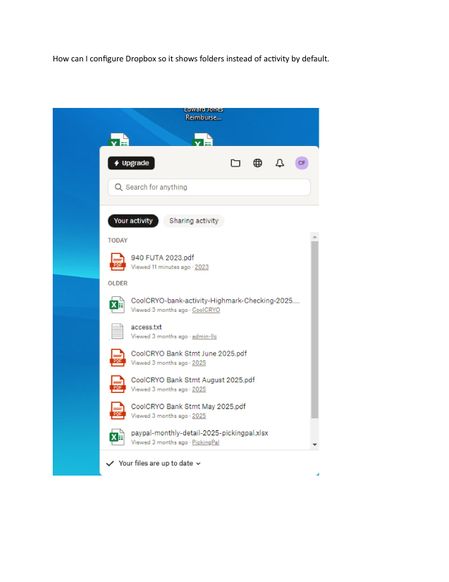
How can I configure Dropbox so it shows folders instead of activity by default, here is how it currently opens, but it use to pop up with folders instead of activity by defau...

Rich Super User II
3 months agoSuper User IICheryl1f wrote:... it use to pop up with folders instead of activity by default.
You may be thinking of an older version of the app that no longer exists. For a short time the Dropbox app also showed your folders and files directly within the app, basically having its own file manager, instead of redirecting you to your local Dropbox folder in Explorer or Finder.
The only option now to view your files and folders is through Explorer or Finder. In addition to Dell's suggestion, you can also just double-click the Dropbox icon in your system tray and it will open your local Dropbox folder instead of the Dropbox app.
About Settings and Preferences
The Dropbox Community is here to help if you have questions about your account settings and preferences. Learn and share advice with members.
The Dropbox Community team is active from Monday to Friday. We try to respond to you as soon as we can, usually within 2 hours.
If you need more help you can view your support options (expected response time for an email or ticket is 24 hours), or contact us on X, Facebook or Instagram.
For more info on available support options for your Dropbox plan, see this article.
If you found the answer to your question in this Community thread, please 'like' the post to say thanks and to let us know it was useful!


