Our Community is in read-only mode until April 8th, learn more here. You can still search existing threads or get help via Dropbox Support, the Dropbox Help Center, or Learn.
Forum Discussion

Amy Community Manager
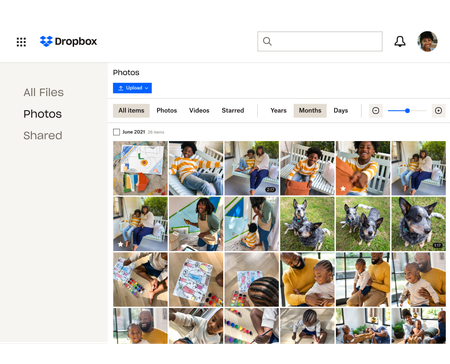
3 years agoCommunity ManagerWhat you need to know about storing and backing up your photos with Dropbox
We see a lot of questions about storing, sharing and backing up your photos on Dropbox so here are some tips to make that as easy as possible!
Back up photos automatically to your Dropbox ac...

aldensolo
1 year agoNew member | Level 2
Can I backup iPhone photos automatically to BOTH iCloud and Dropbox?
- Jay1 year ago
Dropbox Community Moderator
Hi @aldensolo, technically, it should be possible to do so, since they are separate systems on the phone.
Bear in mind, however, that if you have iCloud Photo Library enabled (this is an Apple setting that stores your photos and videos in iCloud), and have its "Optimize iPhone Storage" setting enabled, this will save your full-resolution files in iCloud and store "optimized" versions on your phone.
Since the full-resolution images are stored in iCloud, the "camera uploads" feature needs to connect to the iCloud servers to upload each full-resolution image to Dropbox. This can be a slow process that depends on the strength of the connection to the iCloud servers.

About Dropbox Tips and Tricks
Find helpful advice and smart ways to get more out of Dropbox.473 PostsLatest Activity: 2 years ago
The Dropbox Community team is active from Monday to Friday. We try to respond to you as soon as we can, usually within 2 hours.
If you need more help you can view your support options (expected response time for an email or ticket is 24 hours), or contact us on X, Facebook or Instagram.
For more info on available support options for your Dropbox plan, see this article.
If you found the answer to your question in this Community thread, please 'like' the post to say thanks and to let us know it was useful!


