We’re Still Here to Help (Even Over the Holidays!) - find out more here.
Forum Discussion

Amy Community Manager
6 years agoCommunity ManagerWhat’s New: HelloSign integration
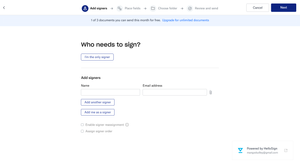
We’re big fans of anything that makes work more efficient, intuitive, and lets you get down to work faster. So, we’re delighted to say that you can now easily send, securely sign, and safely store yo...

Casper777
6 years agoCollaborator | Level 10
Hi Amy
I use HelloSign as well as SmallPDF, Nitro and airSlate PDF Filler. I am excited with the seamless integration of HelloSign into Dropbox. eSignatures are not accepted everywhere (yet) although I used HelloSign to sign some complex financial documentation that was accepted by the financial institution :-D.
People, and companies, need to learn to print less, save trees, and use eSignature solutions like HelloSign. It is just so much easier.
Oh, and much cheaper than the competitors (like Adobe).
Regards
Casper
Mdbridey
5 years agoNew member | Level 2
I love the ease of using HelloSign to request e signatures, but I'm not able to find out if they've been signed. I designated the file to be sent to a "Completed" location, but when I go into that folder, it indicates they're all still "in process" even though it also indicates
"contract complete" in the description line. However, no signatures show up??? Please help! Thank you.
Mdbridey


About Latest News
112 PostsLatest Activity: 2 hours ago
The Dropbox Community team is active from Monday to Friday. We try to respond to you as soon as we can, usually within 2 hours.
If you need more help you can view your support options (expected response time for an email or ticket is 24 hours), or contact us on X, Facebook or Instagram.
For more info on available support options for your Dropbox plan, see this article.
If you found the answer to your question in this Community thread, please 'like' the post to say thanks and to let us know it was useful!

