Your workflow is unique 👨💻 - tell us how you use Dropbox here.
Forum Discussion

emiko
5 years agoNew member | Level 2
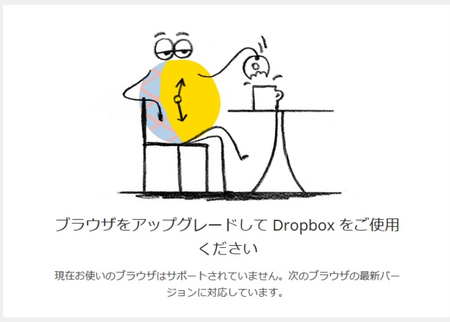
ブラウザをアップグレードして Dropbox をご使用ください
ドロップボックスのアカウントはとれました。 フォルダの共有申請をして、相手側(新しくアカウント作成した)に届いたメールを開いて共有しようとすると 「ブラウザをアップグレードして Dropbox をご使用ください」と表示されます。 グーグルクロームは最新バージョンです。 どうすれば、共有できますでしょうか??? 大変困っております>< どなたか教えてください><お願いします...

Grevillius
4 years agoHelpful | Level 6
emikoさん、こんにちは
こちらにdropboxがサポートしているブラウザ(dropboxが使えるパソコン環境)が記されています
https://help.dropbox.com/ja-jp/installs-integrations/desktop/system-requirements#web
合致しますでしょうか?
また、Google Chromeが最新版でも気がついたらIE(Windowsに元から入っているInternet Exploreというブラウザ)になっている場合があります。その場合デフォルトブラウザを変更します。
【変更方法】
https://support.microsoft.com/ja-jp/windows/windows-10-で既定のブラウザーを変更する-020c58c6-7d77-797a-b74e-8f07946c5db6
その他にもGoogle Chomeで一部の機能が無効になっているとこのようなメッセージが表示される可能性があります。
一度Chromeを再インストールすると改善するかもしれません。
こちらにdropboxがサポートしているブラウザ(dropboxが使えるパソコン環境)が記されています
https://help.dropbox.com/ja-jp/installs-integrations/desktop/system-requirements#web
合致しますでしょうか?
また、Google Chromeが最新版でも気がついたらIE(Windowsに元から入っているInternet Exploreというブラウザ)になっている場合があります。その場合デフォルトブラウザを変更します。
【変更方法】
https://support.microsoft.com/ja-jp/windows/windows-10-で既定のブラウザーを変更する-020c58c6-7d77-797a-b74e-8f07946c5db6
その他にもGoogle Chomeで一部の機能が無効になっているとこのようなメッセージが表示される可能性があります。
一度Chromeを再インストールすると改善するかもしれません。
About 質問する

他のユーザーのディスカッションで回答が見つかる場合があります。回答が見つからない場合は、新しく質問してください。
The Dropbox Community team is active from Monday to Friday. We try to respond to you as soon as we can, usually within 2 hours.
If you need more help you can view your support options (expected response time for an email or ticket is 24 hours), or contact us on X, Facebook or Instagram.
For more info on available support options for your Dropbox plan, see this article.
If you found the answer to your question in this Community thread, please 'like' the post to say thanks and to let us know it was useful!


