We're making some changes to the Dropbox Community 👩💻 - Find out more here.
Forum Discussion

rahulj1
2 years agoExplorer | Level 4
Access Shared Folder with API
Hi Team, can any one please help me to get access in shared folder to extract the meta data like subfolder size and file count. I was unable to locate the shared folder through api always it say...

Greg-DB Dropbox Community Moderator
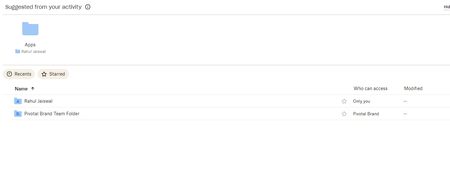
2 years agoDropbox Community ModeratorI see you're trying to access the contents of a folder in your "team space". By default, API calls operate in the "member folder" of the connected account, not the "team space". You can configure API calls to operate in the "team space" instead though. To do so, you'll need to set the "Dropbox-API-Path-Root" header. You can find information on this in the Team Files Guide. With the Python SDK, you would do so using the with_path_root method.
 rahulj12 years agoExplorer | Level 4
I have tried with this below code snippet still I am getting error
from json import JSONDecodeErrorimport requestsimport dropboxfrom dropbox.exceptions import AuthError, ApiError# Authenticate your appaccess_token = 'My Access Token'dbx = dropbox.DropboxTeam(access_token)def get_user_id(email😞try:# Get the list of team membersmembers = dbx.team_members_list()# Find the user with the specified emailfor member in members.members:if member.profile.email == email:return member.profile.team_member_idexcept AuthError as e:print('Error authenticating with Dropbox API:', e)return Nonedef list_files_in_folder(folder_path😞try:# Set the API endpoint URL# Set the request headersheaders = {'Authorization': f'Bearer {access_token}','Content-Type': 'application/json','Dropbox-API-Select-User': user_id # Replace user_id with the desired user's ID}# Set the request parametersdata = {'path': folder_path,'recursive': True}# Send the requestresponse = requests.post(url, headers=headers, json=data)response_data = response.json()print(response.text)# Process the entries in the folderfor entry in response_data['entries']:print(entry['name']) # Print the name of the file or folderif entry['.tag'] == 'folder':# Recursively list files in subfolderslist_files_in_folder(entry['path_display'])except AuthError as e:print('Error authenticating with Dropbox API:', e)except ApiError as e:print('Error listing folder:', e)except JSONDecodeError as e:print('Error decoding JSON response:', e)# Set the folder pathfolder_path = ' ' # Replace with the actual folder path# Get the user ID for a specific emailuser_email = ' User Name' # Replaced with the desired user's emailuser_id = get_user_id(user_email)# List files in the folder for the specific userlist_files_in_folder(folder_path)Still getting below error{"error_summary": "path/not_found/.", "error": {".tag": "path", "path": {".tag": "not_found"}}}
{"error_summary": "path/not_found/.", "error": {".tag": "path", "path": {".tag": "not_found"}}}- Greg-DB2 years ago
rahulj1 Please review my previous message. In order to access the team space, you'll need to set the "Dropbox-API-Path-Root" header, which can be done in the Python SDK using the with_path_root method. In your latest code, you still don't seem to be using the "Dropbox-API-Path-Root" header or with_path_root method.
Also, in this latest code I see you've implemented some of your own code for performing the HTTP request to /2/files/list_folder, however that is not necessary as it is provided natively by the official Dropbox SDK, via the files_list_folder method, like you had in your original code.
Here's a very basic example of how you might use with_path_root and files_list_folder with the Dropbox Python SDK.
import dropbox

dbx = dropbox.Dropbox(ACCESS_TOKEN)

root_namespace_id = dbx.users_get_current_account().root_info.root_namespace_id

path = ""
print(dbx.with_path_root(dropbox.common.PathRoot.root(root_namespace_id)).files_list_folder(path))
(This is assuming a user-linked access token, more like your original code sample.)
- rahulj12 years agoExplorer | Level 4
While I am trying with Root path, I am getting below error
BadInputError('8b261218809945cb828cd56a177f8df2', 'Error in call to API function "users/get_current_account": This API function operates on a single Dropbox account, but the OAuth 2 access token you provided is for an entire Dropbox Business team. Since your API app key has team member file access permissions, you can operate on a team member\'s Dropbox by providing the "Dropbox-API-Select-User" HTTP header or "select_user" URL parameter to specify the exact user <https://www.dropbox.com/developers/documentation/http/teams>.')
About Dropbox API Support and Feedback

Get help with the Dropbox API from fellow developers and experts.
The Dropbox Community team is active from Monday to Friday. We try to respond to you as soon as we can, usually within 2 hours.
If you need more help you can view your support options (expected response time for an email or ticket is 24 hours), or contact us on X, Facebook or Instagram.
For more info on available support options for your Dropbox plan, see this article.
If you found the answer to your question in this Community thread, please 'like' the post to say thanks and to let us know it was useful!


