Our Community is in read-only mode until April 8th, learn more here. You can still search existing threads or get help via Dropbox Support, the Dropbox Help Center, or Learn.
Forum Discussion

LRBH
3 years agoExplorer | Level 4
iOS Dropbox app won’t acknowledge Microsoft Word app
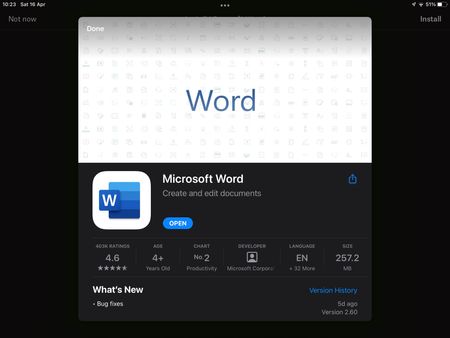
I’m on Dropbox version 274.2 and Microsoft Word version 2.60. Today I started having an issue where trying to open a Word doc in my Dropbox app prompts me to install Word, despite the app being insta...

Elixir
3 years agoStar | Level 19
Hello there LRBH, Can you please try reinstalling Dropbox app and install Microsoft unified Office App https://aka.ms/OfficeAppiOS? Note that now Microsoft has a unified office app (along with individual Word, Excel, PowerPoint, and OneNote apps), which can be used to view/edit all supported office files.
 LRBH3 years agoExplorer | Level 4
Installing the unified app and deleting/reinstalling Dropbox seems to have fixed the problem. Thanks!
 Jenniferchristie3 years agoHelpful | Level 5The following 👇 only works temporarily.
I received these instructions from the Dropbox support team. Since it then reverted to not opening Word/Excel, I’ve sent Dropbox Support a screen recording. Their rep says they will look into it.
iOS Clear Cache/Uninstall/Reinstall Instructions:
1) Clear the cache on your Dropbox app.
To clear your cache, please follow the steps listed below:
Navigate to the “Account” tab
Tap the gear icon in the upper-left corner of the screen
Scroll to the bottom of the screen
Select “Clear Cache” under "Privacy"
2) Uninstall the Dropbox App
3) Sign out from the App Store
4) Restart your device
5) Sign into the App Store
6) Download and Install Dropbox
7) Try to sign into your Dropbox account
J MooseAI3 years agoExplorer | Level 4I’ve been having this problem and reinstalled Dropbox works for me, but when I leave it for a few hours it reverts back to telling me I have to install the Word app. Is it a glitch from the most recent Dropbox update?
About Integrations
Get help with third-party integrations from the Dropbox Community.
The Dropbox Community team is active from Monday to Friday. We try to respond to you as soon as we can, usually within 2 hours.
If you need more help you can view your support options (expected response time for an email or ticket is 24 hours), or contact us on X, Facebook or Instagram.
For more info on available support options for your Dropbox plan, see this article.
If you found the answer to your question in this Community thread, please 'like' the post to say thanks and to let us know it was useful!


