Our Community is in read-only mode until April 8th, learn more here. You can still search existing threads or get help via Dropbox Support, the Dropbox Help Center, or Learn.
Dropbox Basic
156 Topics
Updating a file changes the link...
I noticed today that editing a file and resaving it without changing the name now changes the Dropbox link, and it definitely didn't used to do that before. That was one of the great things with Dropbox, you could update a document without having to worry about whoever had the shared link needing to get a new one.Solved4.4KViews3likes6Comments
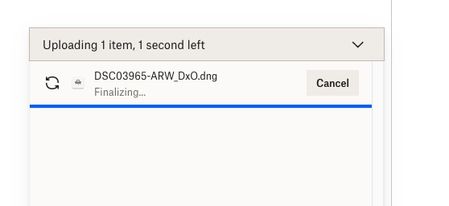
I'm trying to upload a small file, but finalizing is taking forever when using the desktop app.
Trying to upload a dng file that is about 90MB in size to my gallery - fter taking the 3 minutes indicated it has been 15 minutes with the screen saying 1 second left and "finalizing"...what is going on?Solved25KViews3likes38Comments
Is there an automatic date change to current date when uploading?
Why this automatic change of date to current date when upload files to Dropbox -- no other cloud type storage system does this date change? I use both Safari & Windows (depending which laptop I use at time) to do these file uploads. Its a pain in butt that it changes date so I have to upload then go in and modify to date I want. -- I've read about some synching option but not relevant. I see others have raised this issue but no real ownership by DropBox to fix it seems? Has anyone found a way to turn off this auto date change function?Solved2.5KViews2likes11Comments"Green tick with white background" but I see this icon on almost all of my files.
I've been a user and paid subscriber to Dropbox for about a decade. I use Drobox for sharing my files across multiple devices and occasionally for sharing files with other people who don't always have Dropbox accounts. I don't work as part of an organisation so I don't use any of the team or business related features. I often recommend people use Dropbox over other cloud storage as I've always been impressed with Dropbox. I've just started seeing the normal green background tick replaced with a white background tick on multiple files and folders. According to the help pages these white background ticks can only appear on folders yet I have them on multiple files. The help page says this green tick with a white background and green circle 'Contains files that are both available offline and online-only. A white circle with a green outline and a green checkmark can only appear on a folder. It means the folder contains a mix of files and folders that are ”available offline” and “online-only”.' Looking at the files it looks like some of these are files I've previously shared with other people but that doesn’t match the description here. My recolection is the shared folders had a different icon but that seems to have changed. What would be nice would be for a company to be consistent with their icons rather that occasionally going for a total redesign just because someone has said it's fashionable to have a new look. If you have to have a new look please, at least, keep the basic symbolism consistent with the past for the sake of your long term loyal customers. When you do release an update please also release an update of the help files as the statement that 'A white circle with a green outline and a green checkmark can only appear on a folder' is not true as I have it all over my files.11KViews2likes6CommentsDropbox Not Syncing and reached device limit
I wake up this morning and with coffee in hand, go outside with my Pixel 3XL phone, and snap a couple pics of where I'd like to place my new custom-made address sign on my garage. "Send us some pictures of where you would like the sign to go, we will calculate the exact size needed". and the headache begins..... I noticed within seconds, the pictures did not upload?? hmm?? Check your WiFi right??....connection: Excellent After 2 hours still not syncing, standing directly beside my home router....connection: Excellent yet, nothing? No new pictures since yesterday? I attempt on my android, to manually upload them (4 small pictures) NO success! Checked my dropbox account on my laptop "Dropbox is up to date," and "Sync History" nothing since YESTERDAY!?? hmm? Checked my dropbox account usage.....3.97GB of 5.25GB, so plenty of room for 4 little pictures. what is going on???? the tension headache starts pounding.... Check the android app making sure all permissions are granted and location settings are on.... AH HA! Under location settings, "Apps with this permission can access this device's location" NO DROPBOX??? NO Dropbox on the 'allowed' list, NO Dropbox on the 'allowed only while in use' list, and NO Dropbox on the 'denied' list! WHERE IS DROPBOX????? Have another coffee and think about this some more.... Everything was working fine the day before, what could have possibly changed overnight??? I made sure ALL permissions were granted to Dropbox on the android app. Doubtful that these could have been changed while I was sleeping! Checked them anyway! Yet I was still not able to allow location permissions. I checked the play store for updates and installed. Restart device with new update, STILL NOT SYNCING!!?? Arrhghghhh!!! Splitting Headache!! I then decide to uninstall the Dropbox phone app and then re-install.... I open up the newly installed Dropbox, sign in with my account email, BUT NOW..... "you've reached your plan's device limit" (I am using the basic free version) "Switch to Plus or unlink some devices". My HEAD is going to EXPLODE!!! I HAVE ONLY 2 DEVICES!!! GOOGLE PIXEL PHONE, AND LAPTOP!! THAT'S ALL!! NOTHING MORE!!!! NOW I CAN'T EVEN SET UP THE PHONE APP AGAIN WITHOUT REMOVING THE ONLY (1) DEVICE ON THE LIST (google pixel phone) I have spent the whole day trying to get %#*!! dropbox to work!! Thoroughly and completely disgusted with Dropbox!!!!Solved2.8KViews2likes5Comments
'Empty files cannot be uploaded' error no matter the platform I'm using when trying to upload.
I have recently set up a basic account to try Dropbox out. I have successfully managed to upload some videos and photos from my iphone to my dropbox account. I have hardly used any of the allowance I have. I am now trying to do the same and I keep getting the message 'empty files cannot be uploaded' They are Mov or jpeg files I have tried to uplaod to dropbox directly, saving the files on my desktop and also 'requested files' via an email link. None work. Going round and round in circles. HELP!!!12KViews2likes19CommentsHow to share photos from Dropbox
How to Share Pictures using Dropbox Hey Community Friends! 📷 Karina here, and I’m happy to be sharing with you the different ways you can share your pictures using Dropbox (on the web & your mobile devices), on various Social Media platforms (ie. Facebook Messenger & Instagram), as well as how you can display your images on websites as a workaround to how Public Links were once displayed on websites, and through Dropbox Paper. Let’s start off with the basic and most common way to share your photos:Solved52KViews2likes4Comments
Why can't I download multiple files at once in Dropbox?
Having the most obvious feature of downloading multiple files at once is not available in dropbox and if it is, it certainly is a hard task to figure the crap out. And by the way your little help button on the lower left side is not so helpful at all. It's easier to upgrade to some "crappy missing part package" with one click of a button yet hard to get the value you pay for with something as simple as "downloading multiple files at once in dropbox". It should be so easily available for the basic and/or pro level customers without question yet it is not. What good is it to have multiple files in dropbox if you can only download one file at a time. You can upload multiple files at once, so why can't you download them at once dropbox? It's 2016 not 1995. The moment you select more the one photo to download the download button disappears. However, if you select one photo downloading it is not a problem. Dropbox really sucks in this area and no dropbox I will not upgrade to anything else until you add this needed feature which takes me so much time to do with one freakin photo at a time. And I am sure I am not the only one who hates this very limited ability to download several files. Honestly, does this make any sense and what kind of company have you become? You should be customer focus not dropbox focus.7KViews2likes7Comments