Our Community is in read-only mode until April 8th, learn more here. You can still search existing threads or get help via Dropbox Support, the Dropbox Help Center, or Learn.
Dropbox Capture
44 Topics
Dropbox capture: we need to keep it active
I never comment in forums, but the recent announcement of discontinuing dropbox capture was disappointing the very least. We gone into great lengths in training out team in using this user friendly tool, that we strongly believe Dropbox should reconsider.584Views9likes10Comments
How to switch from .png to .jpeg when screenshot saves to Dropbox
Hello, Dropbox community I am a big fan of Dropbox Caption and use it on a daily basis. I would like to know if there is a way to change the format of captured screenshots? I would like to have them saved as a jpeg. Please let me know if it is possible P1.6KViews3likes4Comments
Capture limited to 120 minutes now
I've noticed Capture is now limited to 120 minutes. Is there a way to increase this? I'm not going to share Capture with people for an extra 20 minutes when we're already paying for Dropbox. If this is a new company policy, it's a nail in the coffin for Capture as far as I'm concerned. Unfortunately, we use this a lot and we'll need to look for an alternative straight away.Solved3.4KViews0likes10CommentsDropbox Capture didn't upload my video on Windows
I used the online Dropbox Capture (didn't download to Windows) and recorded my computer screen. I may have closed my laptop before it was all uploaded to dropbox. How do I retrieve the original File? Dropbox can't play the video file and it says "The media could not be loaded, either because the server or network failed or because the format is not supported." Please help.Solved1.7KViews0likes9Comments
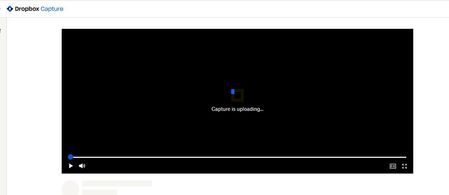
DropBox Capture Video - records but stays in the "Uploading status
Hey folks, just uploaded capture to record a video. The recording went great, when I pressed stop it opened a new tab and has been "uploading" for over 24 hrs. Does not help if I close window and open again and it isn't showing in my capture files. Any suggestions?1.1KViews0likes3Comments
Does Screen Recording capture audio of a video playing?
If I have a video playing on the screen that I am recording using the "Screen recording" option, will it also capture the audio from the video? Also, when using "Audio recording" does it record sound coming through the sound card or microphone or speakers?Solved3.2KViews0likes5Comments
Microphone not working in Dropbox Capture app
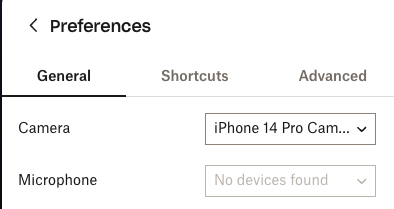
Hi, I have a Macbook Pro M1 and can't select any microphone in the Capture app. This is just a problem with this app because, with others like Loom, it works. I tried also with an external microphone but it still doesn't work.Solved2.4KViews0likes7CommentsIs there any way to set naming convention to Dropbox Capture?
Hello All Is there any way to set the naming convention to Dropbox Capture? Currently, it has the program and the name also has the time and date, but that makes the name too long. Is there a way to set the naming to just the date and time? Here is an example: Safari - Personal — Files – Dropbox 2024-06-19 at 11.45.41 AM (what it looks like now) 2024-06-19 at 11.45.41 AM (how I wanted to look like) Thank you in advanceSolved2.4KViews0likes4Comments
Dropbox Capture screen recording skips and buffers upon playback
When I do a screen recording using Dropbox Capture (v94.0.3), the resulting video skips and buffers upon playback. It's unwatchable. I have tried waiting for the full video to load before playing it - that does not help. I've uninstalled and reinstalled Dropbox Capture - that doesn't help. Cleared my cache too, that didn't fix it. I'm using Windows 11 on a PC, and other screen recording software does not do this (Loom, the native Microsoft screen record software, etc). The capture feature works just fine for still images so there is only a problem with screen recording. I've been using Dropbox Capture for a few months since it was in beta--this was not a problem about a month ago. Anyone have a solution?11KViews5likes47CommentsCan I use Capture on the iPad?
I’ve been using Capture on my laptop, but as I travel mostly with my iPad I would like to use it instead. I’ve been searching all over and I cannot find information anywhere on how to do this. Certainly there is no option in the App. Then I logged in via the website on both Safari and Chrome. Although I can get to the Capture bar, I can only see my previous work - there is no where to “Create” a new Capture. Any help would be greatly appreciated.Solved1.5KViews0likes1Comment