Our Community is in read-only mode until April 8th, learn more here. You can still search existing threads or get help via Dropbox Support, the Dropbox Help Center, or Learn.
Dropbox Transfer
6 TopicsDiscover Dropbox Transfer in video!
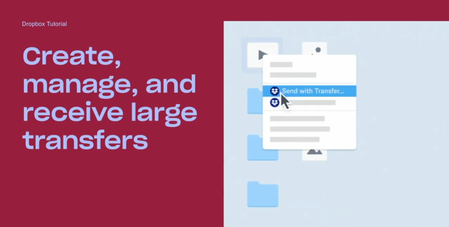
Hi beloved Community! Has any of you used Dropbox Transfer, our feature allowing you to share large files to anyone, Dropbox user or not? We put together a video featuring Madison, one of our Product Marketing Manager who built this amazing feature, and some of our users who will explain themselves, in their own words, how Transfer works! Check Dropbox Transfer video here! Did you like this video? And would you like to see more lightweight, educational videos on Dropbox features in the future?1.6KViews3likes0Comments
What does "transfer expires in 2 days" mean?
I have asked the following question, or a variant, several times but have never received an answer that was of any value. Let me try again. Can anyone tell me what the following means? What is going to happen? What can I do to avert this dire fate? "AH 287 song transfer expires in 2 days and hasn't yet been downloaded."167Views0likes1Comment🌟🤝Community Spirit Badge 🤝🌟
Hey everyone! 🌟 It’s Theresa here. You’ve probably seen me hanging out in the Community, jumping into conversations and joining discussions (if you haven’t seen me before, well, hello 👋). And while doing that, I’ve noticed something pretty great (well, we all have here on the Dropbox Community Team) – so many of you are out here making this Community an amazing place. Whether you're helping others, sharing useful tips, or just bringing good vibes ✨, your contributions really stand out. To recognise and celebrate this, we’ve created a brand-new badge… This badge is all about celebrating the people who make this space feel like home. It’s for those who do more than just answer questions – the ones who offer a helping hand 🤝, share great tips 💡, and keep the good vibes flowing. Whether you're solving tricky problems 🧩, sharing useful resources 📚, or just making the Community a fun place to hang out 😃, we see you and we appreciate you. The Community Spirit Badge is a one-time award 🏆, so if you earn it, you know you're doing something special. It's a little extra recognition for those who truly bring the Community to life. We’re so excited 🎊 to launch this new badge and can’t wait to start recognizing the amazing individuals who truly bring the spirit of this Community to life. And if you spot someone who you think deserves the Community Spirit Badge, don’t hesitate to tag me Theresa within the thread. T 💙 (Dropbox Community Manager)858Views5likes0CommentsHow to Use Dropbox for a Perfect Valentine’s Day
Valentine’s Day is all about showing appreciation for the special people in your life - a partner, a close friend, or a family member 🤗. Whether you’re celebrating together or from a distance, Dropbox can help you make the day a tiny bit more special. Here are some fun ways to share the love 😻. ❤️ Create a Shared Photo Album Gather all those adorable (and maybe slightly embarrassing) photos and videos from throughout the year into a shared Dropbox folder. Organise them into a digital scrapbook so you can relive your greatest moments 💞. 💌 Plan a Virtual Date If you are in a long distance relationship or perhaps have pals who live far away, Dropbox can help you organise a virtual hang out. Share a playlist , a movie file or even a special dinner recipe so you can enjoy the same experience together, whether it’s a romantic date or a fun night with your besties 🤗. 🎶 Create a Romantic Rewind Playlist Music sets the mood, so why not create the ultimate playlist that reflects your relationship? You can link your favourite songs on Paper and relive the moments you heard them. Whether it's slow ballads, your favorite road trip tunes, or that one song that always makes you both laugh, it’ll be a soundtrack to remember 💗. 🎥 Gift a Personalized Slideshow Make your favourite memories shine by creating a slideshow of your best moments together. Add music, captions, and maybe even some inside jokes, because nothing makes you laugh or brings you closer than a perfectly timed meme in the middle of your sentimental montage 🤓. This Valentine’s Day, use Dropbox to share love, laughter, and and a little extra joy (or romance) with the people who matter most to you. ❤️ Do you have any fun or creative ways to use Dropbox for Valentine’s Day? Let us know below 💬193Views0likes0Comments
Have you used the email to dropbox option in the latest dropbox version?
Hello Everyone As we all use dropbox daily for storing our data. When backing up and syncing your files, Dropbox is one of the most popular options available. And for a good reason: it's easy to use, reliable, and offers a generous amount of free storage space. It's also available on just about every platform you can think of. This app is available for Windows, Mac, Linux, iOS, Android, and even some blackberry phones. It also has a web interface that you can use to access your files from any computer. It is more than a cloud storage service; it offers features like real-time collaboration, shared folders, and offline access. Dropbox is a cloud storage and file synchronization service that offers time collaboration, shared folders, and offline access. It is one of the most popular cloud storage services, with over 500 million users. The new update in the app has a few new features, including an email to Dropbox option and a backup option. These new features make it even easier to store and sync your files. With the new update in the app, I have a few questions to ask about dropbox. Please guide me: Have you used the email to dropbox option in the latest dropbox version? What are your views about the new dropbox backup option? Does Dropbox allow the use of eSignatures? Which one is safer to store sensitive data, Google Drive or Dropbox? How do I easily transfer all my files from Dropbox to Google Drive? Where can I find coupons for dropbox? Is there any website that offers such coupons? Looking for helpful tips and suggestions. Thanks in advance!1.5KViews1like3CommentsHow have you used Dropbox lately?
So you might have seen our little exploration into how Dropboxers use Dropbox, from the small stuff like online games and to do lists, right up to the big stuff, like buying a home and sharing baby photos. In fact, I’ll be back soon to share how I recently used Dropbox to take the pain out of planning a wedding (tips and tricks incoming). Great and all as it is to hear how we use Dropbox, we want to know how you use it! Day to day, big projects, sharing files with friends and family - we want to know about it. Share in the comments below, and if your tips are truly inspiring, who knows, you might even earn the Mighty Badge and the extra space that comes with it!9KViews1like4Comments