Our Community is in read-only mode until April 8th, learn more here. You can still search existing threads or get help via Dropbox Support, the Dropbox Help Center, or Learn.
File requests
80 Topics
How can my client send me files larger than 5GB, if they don't have a Dropbox account?
I have dropbox plus account. My client does not have a dropbox account. Nor does he want one. How can he send me files that are 5gb and up? I'm always getting hit with the 2gb limit. I'm in video production and 2gb files are nothing. We work with files that range from 2gb to 50gb. We don't want to make our clients open accounts that they don't want. Thoughts? Thanks.Solved65Views0likes5Comments
I sent a "File Request" to a free account, but the person can't send me large files.
I have a 2TB Pro plan, and I'm sending a "File Request" to a friend which has a free account, but he still can't upload files larger than 2GB in that shared link. And even then, that goes against his free quota. What am I doing wrong? How can I have him upload larger than 2GB files at once against my quota, not his? Thanks, GregSolved112Views0likes7CommentsTell Us How You Use Dropbox
No two people use Dropbox in exactly the same way. Some of you rely on it every day for work, others for school, creative projects, or keeping life organized - and we love that. We’d love to hear how you’re using Dropbox today - is it something you use once in a while, is it part of your day to day, are there any features you can’t live without? What workflows have you built that save time or reduce friction? And where do you see opportunities for us to do better? Your tips, ideas, and honest feedback really help us to make sure we can share useful tips, and they help other community members discover new ways to get more out of Dropbox too. Share your experience, favorite features, or suggestions in the comments below. Your voice truly helps shape the future of the Dropbox community 😁 The Dropbox Community Team3.9KViews4likes14Comments
Can we create a file request for multiple users?
Is there a way to create a "generic" document request that will allow multiple users to submit documents to our team without our office having to create a separate request for each end user. What we are looking for is having a link on our intranet that will allow colleagues to submit forms and documentation that our team needs to process. We would want to have it be collected in Dropbox for easier storage, organization and assignment to team members.148Views0likes7CommentsFile request looks and acts differently
Device Android Question or Issue Within the past 6 months, has Dropbox changed the way users upload files through file requests? It seems way more difficult now. The screen acts like we are on a computer. I have to choose the option to upload from computer. Then I have to find my camera. Lastly, I have to actually keep the window open until all the files have downloaded. I do not remember having to do that before. I thought maybe I was in desktop view and that was the reason, but that did not make a difference. I am feeling it will very cumbersome to ask someone to upload pictures just to turn around and tell them to do it again because they have to keep their window open.Solved112Views0likes3Comments
Someone uploaded 286 GB to my file request but I can only access 103 GB
Device Mac Studio Operating System/Browser (if using the web) Mac OS 15.6.1 Dropbox App Version (if using the app) 238.4.6305 Syncing Status Your Files are up to Date Question or Issue I asked for a File request. When I checked in my dropbox folder it was 103 Gb. The folder size was not increasing anymore, so I thought it was fully uploaded on the other side. I started working on the file, but I realized it was missing files (a ProTools Project) When I asked the person if it was fully uploaded, she told me yes, and the files were a total of 286 GB. Now nothing uploads on my side, it is stuck at 103Gb. Do I have to start over ?200Views0likes8Comments
Recipient with the large capacity sent me a file request, but I can't upload files over 2GB.
Hi. Trying to upload files to a paying account from a free account. Cannot upload files bigger than 2mb. Is the limitation due sending from a free account, or is it a limit on the receiving account? Doesnt make sense to me either waySolved9.2KViews0likes4Comments
How can I grab a shared link that I'll be able to text to others?
Hello, I am trying to share the link with people who attended our wedding so that they can add their photos. I do not have all email addresses, how would I get a link to be able to text/ whatsapp this to friends and family? Many thanks, SineadSolved7.2KViews0likes1CommentHow to request a Dropbox file
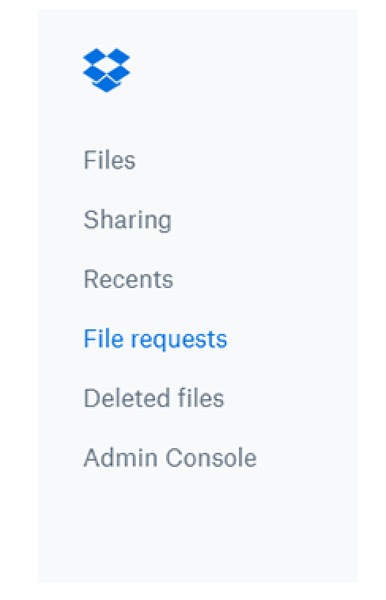
Dropbox is amazing as a collaborative tool - and collaboration goes both ways, so while you might be great at sharing files with your team, not everyone is. Don’t worry though, that doesn’t mean you’re stuck without your files - you can just request access and carry on! You might have seen us sharing tips on how to share your files with others here, well now we are going to flip that, and explain how you can request someone else’s files. Why would I need to request a Dropbox file? Let’s say that you discuss a file with a teammate in a meeting, and they promise to share the file with you. The next day, you notice you don’t have access yet. Looks like your teammate got pulled into a meeting right after you spoke and completely forgot to add you to the file. No problem, you can use Dropbox file requests to eliminate stress for you, and for them! Some other reasons you might want to use file requests: Anyone can send you a file you've requested, whether they have a Dropbox account or not. All the files you collect are automatically organized into a Dropbox folder you choose. People who upload files to your file request cannot access your Dropbox account. Only you can view files uploaded by others, unless you decide to share them. How do I request a Dropbox file? That all sounds good, so how do I request the files I need? Easy, just follow the steps below. Sign in to dropbox.com. Click File requests in the left sidebar. Click New request above the list of file requests. Under Title, enter a name for your request. Under Description, add details about the request, if you’d like. Choose the folder where uploaded files will go. You’ll see a default folder path. f you want to change it, click Change folder and pick a different destination.  (Optional) Set a deadline for submissions (available on some plans).  Click Create. Invite people to upload files: Type the email or name of the person (or people) you want to request files from - they’ll receive an email invitation. Or click Copy link to copy the upload link and share it wherever you want.  If you already know the exact link of the file you want access you can simply add it to the request: To copy a link instead, click Copy next to Share a link instead. You can paste the link into an email, message, or wherever you’d like people to access it. Click Share. You’ll receive an email confirmation, and an email notification when files are uploaded to your file request. Now you can get access to your files in no time! And if that wasn’t enough info, you can learn even more here. Tell us how you collaborate with your team in the comments below.2KViews0likes1Comment
Best way to collect client uploads in one Dropbox folder and sort by client and date
I’m looking for some guidance on the best way to set up a streamlined upload flow for multiple clients. Goal I’d like to have a single upload point (for example, one shared link or form) that allows multiple clients to upload files without logging in. Ideally, when they upload: They provide their email address or name Dropbox automatically routes those files into a folder structure like: Client Name (or email) → Submission date → Uploaded files So, over time I’d end up with something like /Client A/email@clienta.com/2025-11-14/…files /Client B/email@clientb.com/2025-11-20/…files etc. Questions Is there a native Dropbox feature (e.g. File Requests or similar) that can: accept uploads from multiple people via one URL, and also capture who uploaded what in a way that could be used to organise files per client? If not fully possible natively, what’s the best-practice approach people have used? Multiple File Requests? Dropbox + a form tool (Typeform, Jotform, etc.) + Zapier/Make to create folders and move files based on email address? Any recommended automations / templates that already do this? I’m comfortable using third-party automation tools if needed, but I’d love to understand what’s realistically achievable within Dropbox first, and what the most robust setup would be.261Views0likes3Comments