Our Community is in read-only mode until April 8th, learn more here. You can still search existing threads or get help via Dropbox Support, the Dropbox Help Center, or Learn.
Mac
575 Topics
Apple Silicon (M1) Desktop Sync Compatibility
Please can you upgrade the Dropbox app so that it works natively on Apple Silicon Macs (M1) without Rosetta. Rosetta is not an option as it annihilates the battery. This may be a duplicate of the below idea however that started for ARM processors in general and you haven't looked at it in 6 years so starting an Apple specific idea in the hope you see it. https://www.dropboxforum.com/t5/Dropbox-ideas/Desktop-app-with-syncing-for-devices-with-ARM-processors/idi-p/57554/page/18 There are also lots of comments on this thread to help support the case for demand: https://www.dropboxforum.com/t5/Dropbox-installs-integrations/Dropbox-Apple-Silicon-M1-install/td-p/500325Solved236KViews2016likes496Comments
Dropbox Apple Silicon (M1) install
Hi, I recently purchased a MacBook Pro 13" with the M1 processor and I cannot seem to get a native install of Dropbox for this chipset. From searching the community, it seems like M1 support should be available in the latest installer. However, trying that plus the latest beta build all ask me to install Rosetta during installation. What am I doing wrong? Thanks, WarrenSolved106KViews64likes184Comments
Dropbox removing external disk support for Mac users
In case anyone's unaware... if you're a Mac user storing your Dropbox on an external drive, you'll shortly lose that ability. https://talk.tidbits.com/t/dropbox-drops-support-for-storing-files-on-an-external-drive-and-onedrive-retains-it/20797/16 https://help.dropbox.com/installs/macos-support-for-expected-changes Just confirmed this with DB support (see below). Gutted - been with Dropbox for years and our entire video team flow is based around it 😕 >Hi there, I read today that you are scrapping the ability to store the Dropbox folder on external disks, on OSX. I'd like to ask more about this please. > Hello Jon, and thank you for contacting Dropbox Support. My name is Joseph, and I will be more than happy to look into your request, right away. That is correct Jon, as part of the Dropbox for macOS update, the Dropbox folder must be located in ~/Library/CloudStorage. >This is a showstopper for us, and will mean we have to move to another service. We have a large distributed team using DB for video work, no way it'll fit within internal drives. Is there a workaround? > I totally understand and I apologize for the inconvenience. Unfortunately, there is no workaround on this as changing the location of your Dropbox folder is no longer supported by macOS. >This change doesn't seem to have hit us yet - we're running a variety of machines inc Ventura What will trigger its enforcement? Can we stay on an earlier OS or Dropbox version? >The updates happening automatically every time the Dropbox app is restarting, for example if your device never restarts it should maintain the older version but we can't guarantee full functionality on older versions of the application. >So what will happen - if we have a Dropbox folder on an 8TB drive and a tiny internal drive - will it try to clone stuff across and eat up the space? What's the mechanism? >That's right, it will try to move the content on your internal drive until it has no space and gives you an error. >Is Smartsync still supported? I.e. will it move stuff to being online only if it won't fit? >It is, however it is now known as online-only.Solved121KViews25likes697Comments
The desktop app on my Mac has been stuck indexing files. I can only access some of them.
I installed the mac dropbox update and the application began indexing my files. It has now been stuck for the last few days. I can only access some files. Many are now only available through dropbox.com and not in my app. If I add files to dropbox.com they are added to the indexing queue of the desktop app, but no progress is made regarding indexing. I've tried signing out, quitting, uninstalling, and reinstalling. I've seen similar threads, but no solutions have worked for me. Any help is much appreciated.Solved78KViews22likes384Comments
How do I remove Dropbox from my Mac if I get an error message when attempting to uninstall?
I am trying to delete the Dropbox app from my Mac, but it gives me an error message saying 'The item “Dropbox” can’t be moved to the Trash because some of its plugins are in use', even after closing all other open applications. What could these plugins be and how can I stop them from being in use? ThanksSolved138KViews20likes48CommentsSpotlight Search Doesn't Link to Files in Dropbox in macOS 13 Ventura
After upgrading to macOS Ventura, I was prompted to upgrade to "Dropbox for macOS 12". I proceeded with that, it moved my Dropbox folder to ~/Library/CloudStorage and confirmed all was successful. Now when using Spotlight to search (I often type something like 'drawings folder' to open a folder called Drawings) the results in Spotlight show the Dropbox app icon beside the name of the item I want (rather than a Finder icon for folder or file). Hitting Enter or clicking on the result switches to Finder and does nothing, or sometimes will open the Applications folder and show the Dropbox app. It's not linking me to the actual file in ~/Library/CloudStorage. I have done the following and the problem is not solved: Restarted Ensured all files are available for offline access Rebuilt the spotlight index Unlinked Dropbox from this Mac, did a complete clean install of dropbox, performed the upgrade to v159.4.5870 and synced just one folder to begin Nothing works. Any suggestions??Solved63KViews20likes398Comments
Request regarding end of support for MacOS X 10.10 (Yosemite) & 10.11 (El Capitan)
I just received a notice that dropbox will cease support for OS 10.10 and 10.11. The notice, giving it the most leeway i can, indicated that i should consider upgrading my OS or use a web browser. This is not always possible. For many of us, we are at the end of the line re: OS upgrades. I have an old macbook pro that i use for a few light tasks - but the data must be available on others machines. I use dropbox for this. I also cannot use the web browser unless i wish to upload files with each change. Impractical. I will likely wind up switching to a different cloud service, which i would prefer not to do - yet maybe i must. I don't know why you are ending support. The clients exist already and are unlikely to require many changes, if any. Please reconsider. --justmeinNJSolved19KViews19likes84Comments
AirDrop broken on MacOS Ventura
I'm using MacOS Ventura and I can't receive files via AirDrop anymore. My Downloads folder is inside my Dropbox as I'm using Dropbox Backup, so it is all inside the Cloud Library now. The Spotlight Search is broken and now also I can't receive airdropped files anymore. They are sending but afterwards they are just nowhere to be found on the hard-drive. It's quite the mess. @DropboxTeam: It would be highly appreciated if you can expedite looking into resolving the issues on Ventura!Solved22KViews16likes98Comments
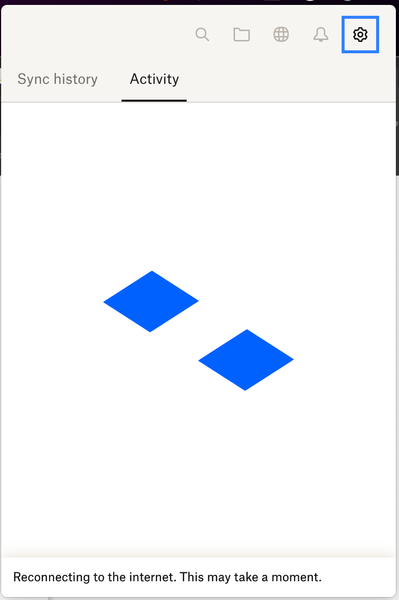
Dropbox Not working after restart: Reconnecting to the internet. This may take a moment.
I have been experiencing a very frustrating issue with Dropbox the past few days. Issue: After restarting my Mac Studio (MacOS 13.6.5), Dropbox always gets stuck with the message: Reconnecting to the internet. This may take a moment. No VPN No Firewall Home Network Fully updated Dropbox The thing that is baffling is that : If you Quit and restart Dropbox it works immediately but if you restart the computer the issue appears again If you wait for a long time Dropbox eventually connects and syncs. But it takes a long time On the same computer, about a week ago, Dropbox was syncing instantly after reboot. I have tried already reinstalling and deleting the cache folder. Is this a known issue that's going on at the moment> Many thanksSolved31KViews13likes120CommentsMacOS 13.0 Ventura, and Dropbox follows OneDrive in forcing the folder on the system drive
With Monterey, OneDrive implemented the new apis from Apple for online syncing that demanded its main location be a specific folder on the system drive. 8 months later, the MacOS community section of their site is a collection of anger, accounts of giving up on the platform entirely, praise for Dropbox for not going the same way. Except it just did, it only waited until Ventura, and now my 360GB Dropbox home folder is supposed to fit on a drive that has about 160GB available, and I guess it was Apple's fault all along, but this is still a major malus to my having any use for Dropbox, I want a full hard copy of my files on local and not having to download them on the fly. This is a bummer.37KViews12likes117Comments